

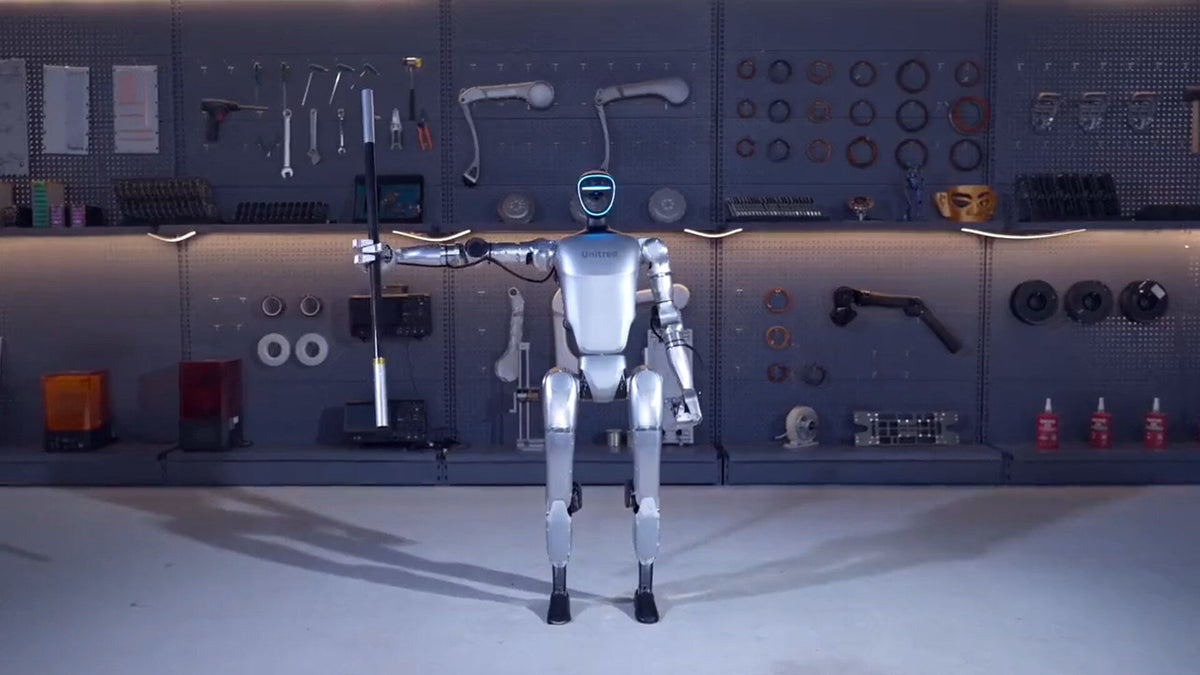
A humanoid robot is the most visible STEM purchase a school can make. It turns an open house into an event, gives a robotics class something real to program, and puts a university lab in the same conversation as the research it reads about. It is also a $7,000 to $67,000 decision that is easy to get wrong, because the cheapest robot in a lineup often cannot be programmed at all and the most impressive one may be the wrong size for a classroom.
This guide covers every humanoid we sell for education from Unitree and AgiBot, with current US pricing, what each one is actually good at, how teachers and students use them, the accessories that matter, and how schools buy them: quotes, purchase orders, FCC status and funding questions included.
Quick answer: the best humanoid robot for your STEM program
- Best for high school and community college programming classes: Unitree R1 Edu Standard, $15,950. The lowest-cost humanoid with full SDK access.
- Best for greeting visitors, assemblies and school events: AgiBot X2 Ultra, $42,999. It navigates a building on its own and teachers customize it with no code. The AgiBot X2 at $27,999 is the choice when a staff member drives it.
- Best for university research labs: Unitree G1 Edu Standard, $43,900. NVIDIA Jetson Orin compute, ROS support and the largest open-source community of any humanoid.
- Lowest-cost humanoid for demos and exposure: Unitree R1 Air, $6,870. A real walking humanoid, but not programmable.
- Best for human-scale research: Unitree H2 Edu, $66,800. Full adult size at 1.82 m with development access.
- Every education humanoid compared
- Three questions that pick the robot
- Unitree R1 family
- Unitree G1 family
- Unitree H2 and H2 Edu
- AgiBot X2 and X2 Ultra
- What full SDK access means
- What these robots can do
- Hands and grippers
- Recommendations by grade level
- Using a humanoid in class
- Safety and supervision
- Accessories worth buying
- Year-one budgets
- How schools buy
- FCC, NDAA and federal funds
- When a robot dog is the better buy
- FAQ
Every Education Humanoid Compared
All prices are current US pricing from our listings, October 2026. Every model below holds an FCC equipment authorization granted before the FCC's July 28, 2026 rule change, so each one is legal to import and sell in the United States.
| Model | US price | Height / weight | Degrees of freedom | Runtime | Student programming | FCC ID |
|---|---|---|---|---|---|---|
| Unitree R1 Air | $6,870 | 1.23 m / 27 kg (4 ft / 60 lb) | 20 | About 1 h | No | 2A5PE-YUSHU010 |
| Unitree R1 Basic | $8,990 | 1.23 m / 29 kg (4 ft / 64 lb) | 26 | About 1 h | No | 2A5PE-YUSHU010 |
| Unitree R1 Edu Standard | $15,950 | 1.23 m / 29 kg | 26 | About 1 h | Yes, full SDK | 2A5PE-YUSHU010 |
| Unitree R1 Edu Smart | $18,900 | 1.23 m / 29 kg | 26 to 40 | About 1 h | Yes, plus Orin-class compute | 2A5PE-YUSHU010 |
| Unitree R1 Edu Pro | $19,800 to $32,900 | 1.23 m / 29 kg | 26 to 40 | About 1 h | Yes, hands and LiDAR options | 2A5PE-YUSHU010 |
| Unitree G1 | $17,990 | 1.32 m / 35 kg (4 ft 4 in / 77 lb) | 23 | About 2 h | No | 2A5PE-YUSHU008 |
| Unitree G1 Edu Standard | $43,900 | 1.32 m / 35 kg | 23 to 43 | About 2 h | Yes, full SDK and ROS | 2A5PE-YUSHU008 |
| AgiBot X2 | $27,999 | 1.31 m / 35 kg (4 ft 4 in / 77 lb) | 25 | About 2 h | No-code tools | 2BTPT-LX2501 |
| AgiBot X2 Ultra | $42,999 | 1.31 m / 39 kg (4 ft 4 in / 86 lb) | 30 | About 2 h | No-code tools plus open interfaces | 2BTPT-LX2501 |
| Unitree H2 | $39,900 | 1.82 m / 70 kg (5 ft 11.7 in / 154 lb) | 31 | About 3 h | No | 2A5PE-YUSHU012 |
| Unitree H2 Edu | $66,800 | 1.82 m / 70 kg | 31, plus hand options | About 3 h | Yes, dedicated i7 dev PC | 2A5PE-YUSHU012 |
Specifications from Unitree and AgiBot user manuals and published parameter tables. Runtime varies with motion and payload. Unitree's G1 Edu Plus, Pro and Ultimate research configurations ($45,900 to $73,900) are covered in our G1 configurations guide.
Three Questions That Pick the Robot
Most schools can narrow this list to one or two models in five minutes by answering three questions in order.
1. Will students write code for it?
This is the most expensive question in the catalog, so answer it first. The base Unitree R1 Air, R1 Basic, G1 and H2 run Unitree's built-in behaviors and app only. They have no SDK, and a base unit cannot be upgraded to an Edu unit later. If a computer science or engineering class will program the robot, buy an Edu tier from day one. Our SDK section explains exactly what that unlocks. If the robot's job is to inspire, perform and greet, a base model or the AgiBot X2 saves real money.
2. Who operates it: students, teachers or a staff member at events?
Unitree's Edu humanoids are developer platforms. They reward a teacher who is comfortable with Python, C++ or ROS, and they give advanced students a genuine engineering challenge. The AgiBot X2 is built the other way around: teachers build greetings, speeches, gestures and dance routines in AgiBot's no-code tools, LinkSoul and LinkCraft, from a tablet or laptop. If no one on staff codes, that difference decides the purchase.
3. Where will it work?
A robot that lives in one classroom or on a stage can be walked into position. A robot that greets families at the entrance, walks the halls or follows a staff member through a building needs autonomous navigation, which in this lineup means the AgiBot X2 Ultra. Size matters too: the 1.2 to 1.3 m robots (R1, G1, X2) fit classrooms, travel in a car and are less intimidating to younger students. The full-size 1.82 m H2 needs lab space, a protective stand and 2 m of clearance while it moves.
Not sure which tier fits your program?
Tell us the grade level, who will operate the robot and your budget range. We will recommend one configuration and send a formal quote your purchasing office can use.
Request a school quoteUnitree R1 Family: The Classroom Humanoid
The R1 is the humanoid that made this category affordable for schools. At 1.23 m (4 ft) and 27 to 29 kg it is light enough for two adults to carry, small enough to share a classroom, and priced like a set of lab equipment rather than a capital project. Every R1 has a multimodal speech and vision AI model onboard, a 4-microphone array and a speaker, so it walks, balances, talks and reacts out of the box.

Unitree R1 Edu Standard
$15,950 · Our top pick for programming classes
Full SDK26 DoFBinocular depth camera12-month warranty- The lowest-cost humanoid with full SDK access and secondary development, so students write, deploy and debug their own programs on a real robot.
- Fully open control interfaces for joints and sensors, with support for mainstream simulation platforms, so code can be tested in simulation before it touches hardware.
- 26 degrees of freedom including a 2-DoF waist and 2-DoF head, a binocular depth camera, and Wi-Fi 6 with over-the-air updates.
- Upgrade path inside the Edu tier: the R1 Edu Smart ($18,900) adds an NVIDIA Orin-class module rated 40 to 100 TOPS for onboard AI, and R1 Edu Pro configurations ($19,800 to $32,900) add LiDAR and dexterous hands.
Know before you buy: runtime is about one hour per battery, so budget two spare packs for back-to-back class periods. The arms are built for gesture and light handling, about 2 kg (4.4 lb) at most.

Unitree R1 Air and R1 Basic
$6,870 and $8,990 · Best for exposure, clubs and events
No SDKSpeech and vision AI20 or 26 DoF- The R1 Air is one of the least expensive full humanoids on the market: 20 degrees of freedom and a monocular camera.
- The R1 Basic adds a binocular depth camera plus an articulated waist and head for 26 degrees of freedom, and carries an 8-month warranty versus the Air's 6 months.
- Both are excellent for showing students what a humanoid can do, for robotics club demonstrations and for school events.
Know before you buy: neither supports secondary development. If programming is the point, start at the R1 Edu Standard instead.
Unitree's official R1 introduction. The price in the video is Unitree's global launch price. US pricing above reflects authorized US distribution, US warranty and import costs.
Unitree G1 Family: The Research Standard
The G1 is the humanoid in research papers, robotics competitions and viral videos alike, and that matters for education: more open-source code, tutorials and published work target the G1 than any other humanoid, so students get productive faster. It stands 1.32 m (4 ft 4 in), weighs about 35 kg (77 lb), runs about two hours on a quick-release battery, and every configuration ships with a LIVOX MID360 3D LiDAR and an Intel RealSense D435i depth camera as standard.

Unitree G1 Edu Standard
$43,900 · Our top pick for university labs
Full SDK + ROSNVIDIA Jetson Orin23 to 43 DoFLiDAR + depth camera- Full SDK, low-level joint control and ROS support, with NVIDIA Jetson Orin compute onboard for perception, navigation and learned policies running on the robot itself.
- Expands from 23 to 43 degrees of freedom with optional Dex3-1 force-controlled hands (7 DoF each) plus wrist and waist modules.
- Built for locomotion, reinforcement learning, whole-body control, manipulation and teleoperation research.
- Research tiers above it: G1 Edu Plus ($53,900), G1 Edu Pro ($45,900 to $56,900) and G1 Edu Ultimate ($55,900 to $73,900), which differ mainly in compute, hands and teleoperation hardware.
Know before you buy: budget the $850 G1 gantry. It catches the robot when a new policy fails mid-experiment and pays for itself the first time it does.

Unitree G1 and G1 Pro
$17,990 and $28,950 · Best for demonstrations and STEM showcases
No SDK23 DoFFolds for transport- The full G1 experience for showcases: dynamic walking, disturbance recovery and the same LiDAR and depth camera as the research tiers.
- Folds to 690 x 450 x 300 mm (27.2 x 17.7 x 11.8 in) for storage and travel to competitions or outreach visits.
Know before you buy: no secondary development and no upgrade path to Edu. A school that might want to program it in year two should buy the Edu Standard in year one.
Unitree's official G1 introduction. Launch pricing in the video is Unitree's global base price, not US pricing.
Unitree H2 and H2 Edu: Human Scale

Unitree H2 Edu and H2
$66,800 and $39,900 · Best for flagship university programs
1.82 m adult size31 DoFAbout 3 h runtime- Full adult scale at 1.82 m (71.7 in) and about 70 kg (154 lb), with 31 degrees of freedom and 7-DoF arms rated for about 7 kg (15.4 lb).
- The H2 Edu adds secondary development, a dedicated Intel Core i7 development PC, dexterous hand options and optional high-power compute such as the NVIDIA Jetson AGX Thor.
- Choose it when the research question needs human reach, stride and workspace: kitchens, workbenches, doorways and tools built for adults.
Know before you buy: the H2 powers on while suspended from its included wheeled protective stand and needs 2 m (6.6 ft) of clearance from people while it moves. It belongs in a lab, not a classroom.
Unitree's official H2 introduction.
AgiBot X2 and X2 Ultra: The School Ambassador
The AgiBot X2 is built for the part of a school's robot wish list that has nothing to do with code: greeting students at the door, opening an assembly, presenting at a board meeting, dancing at a pep rally and turning a STEM night into the event families talk about. It has 30+ animated facial expressions, recognizes faces, gestures and body movement, responds to touch, and runs a motion library of dance and choreographed routines. Planning a trade show or event instead? See our humanoid robots for events guide.

AgiBot X2 Ultra
$42,999 · Our top pick for greeting, events and presentations
Autonomous navigationNo-code customization30 DoFOptional hands- Maps your building once, then walks halls and routes on its own, avoids moving students and can walk alongside a staff member.
- Greets people by face and answers questions from a knowledge base your staff loads.
- Seven-DoF arms accept optional dexterous hands or grippers, which is what handing out small items like certificates or gifts requires.
- LiDAR, binocular RGB, RGBD and rear cameras with an NVIDIA Orin NX 16 GB computer, plus open interfaces so advanced students can build on it.
- Optional autonomous charging dock for return-to-charge.
AgiBot X2
$27,999 · Best when a staff member runs it at events
No-code customization25 DoFFleet routines- The same 131 cm body, two-hour 500 Wh battery, expressions, voice and motion library as the Ultra.
- Driven from a handheld remote and the AgiBot app, which is ideal for stages, booths and events where a staff member is present anyway.
- Several units can run a coordinated routine from one operator.
Know before you buy: the base X2 cannot navigate a building by itself and its 5-DoF arms do not take hands. The perception and compute stack is configured at build, so pick the Ultra up front if either matters.
What's in the box (both configurations): the robot, a swappable 500 Wh battery, charger, handheld remote controller, wireless microphone and access to the AgiBot mobile app. Our X2 vs X2 Ultra guide goes deeper on the choice between them.
AgiBot's official X2 overview video.
Want to see one move before you budget?
Ask for a live virtual demo when you request your quote. We set it up with the manufacturer's US team and focus it on what your staff will actually do with the robot.
Request a demo and quoteWhat “Full SDK Access” Means, and How Each Robot Is Programmed
“Full SDK access” is the line on a robot spec sheet that schools ask us about most, and it is the single biggest price driver in this guide. An SDK, or software development kit, is the set of libraries, documentation and example code that lets your own programs talk to the robot. With it, students write code that makes the robot move, read its sensors and react to the world. Without it, the robot runs only what the manufacturer built in, controlled from an app or a remote. Unitree calls this capability “secondary development.”
The five things SDK access unlocks
| Capability | What students can do | Example project |
|---|---|---|
| 1. High-level motion commands | Tell the robot to stand, walk at a set speed, turn or play a built-in gesture with a few lines of Python or C++. | Program the robot to walk a square and wave at each corner. |
| 2. Low-level joint control | Read every motor's position, speed and torque, and send commands to each joint hundreds of times per second. | Write a balance controller or deploy a reinforcement learning walking policy. |
| 3. Sensor streams | Pull live data from the cameras, depth camera, LiDAR, inertial sensor and microphones. | Detect a face and have the robot turn toward it, or map the classroom. |
| 4. Onboard developer computer | Run your own code on the robot's NVIDIA Jetson or development PC instead of a tethered laptop. | Run an object detection model on the robot while it walks. |
| 5. ROS 2 and simulation | Use ROS 2, the industry-standard robotics middleware, and test code in MuJoCo or NVIDIA Isaac before it touches hardware. | Train a walking policy in simulation, then transfer it to the real robot. |
Why a base model cannot be upgraded
On Unitree's base R1 Air, R1 Basic, G1 and H2, the developer interfaces are locked at the factory, and on the G1 and H2 the Edu tier also adds dedicated developer computing hardware. Unitree offers no upgrade from a base unit to an Edu unit. A school that buys a base robot and later wants students to code it is buying a second robot, which is why this decision belongs at the start of the purchase.
How each robot is programmed
| Robot | How it is programmed | Tools and languages | Best for |
|---|---|---|---|
| Unitree R1 Air, R1 Basic | App and remote only. Preset motions plus built-in speech and vision AI. | Unitree app | Demos and clubs |
| Unitree R1 Edu Standard | Full SDK with high-level and low-level control and open joint and sensor interfaces. | Unitree SDK2 in C++ and Python, ROS 2, simulation | High school and intro college coding |
| R1 Edu Smart and R1 Edu Pro | Everything in Edu Standard, plus an onboard NVIDIA Orin-class module rated 40 to 100 TOPS. Pro configurations add LiDAR and hands. | Same, plus on-robot AI inference | AI and perception courses |
| Unitree G1, G1 Pro | App and remote only. | Unitree app | Showcases and outreach |
| Unitree G1 Edu tiers | Full SDK with low-level joint control on an onboard NVIDIA Jetson Orin. Edu Pro and Ultimate add dexterous hands and teleoperation hardware. | Unitree SDK2 in C++ and Python, ROS 2, MuJoCo, Isaac Lab, XR teleoperation | University research |
| Unitree H2 | App and remote only. | Unitree app | Full-size demonstrations |
| Unitree H2 Edu | Full SDK on a dedicated Intel Core i7 development PC, with optional NVIDIA Jetson AGX Thor compute. | Unitree SDK2, ROS 2, XR teleoperation | Human-scale research |
| AgiBot X2 | No-code. LinkCraft turns an ordinary video of a person moving into robot motion, and LinkSoul sets persona, voice and knowledge. Day-to-day control from the app and remote. | LinkCraft, LinkSoul, AgiBot app | Teachers who do not code |
| AgiBot X2 Ultra | All the no-code tools, plus open development interfaces on an NVIDIA Orin NX 16 GB and optional VR teleoperation. | LinkCraft, LinkSoul, development interfaces confirmed on your quote | Events plus advanced student projects |
Unitree's free, open-source developer tools
Unitree publishes its developer tools free on GitHub, and that ecosystem is a big reason the G1 dominates university labs. Edu buyers get:
- unitree_sdk2 and unitree_sdk2_python: the core SDK in C++ and Python, the starting point for every program.
- unitree_ros2: ROS 2 integration, so the robot works with standard robotics tools for navigation, mapping and visualization.
- unitree_mujoco: a simulator that runs the same code against a virtual robot, so students can test safely before touching hardware.
- unitree_rl_gym and unitree_rl_lab: reinforcement learning pipelines for training walking policies in NVIDIA Isaac Gym and Isaac Lab, then deploying them to the real robot.
- xr_teleoperate: control a humanoid's arms and hands from an Apple Vision Pro, PICO or Meta Quest headset, which is how labs record demonstrations to train robot AI.
What the first week looks like
- Connect a Linux laptop running Ubuntu to the robot's network.
- Install the SDK and run the included examples that read the robot's joint states and make it stand, wave or walk.
- Run the same programs against the MuJoCo simulator to see that code behaves identically on the virtual robot.
- Move to hardware with the robot on its stand or gantry, then free-standing once the code is proven.
- Start student projects: gestures, voice responses, face tracking, then walking and navigation.
What skills your students and staff need
High school: basic Python is enough to command motions and read sensors, with a teacher comfortable at the Linux command line. University: Python, C++, ROS 2 and Linux, plus a workstation with an NVIDIA RTX graphics card for reinforcement learning in Isaac. AgiBot X2: no programming at all. If a teacher can record a phone video and edit a slideshow, they can build a routine.
Not sure whether you need SDK access?
Tell us the course or program the robot will support and who will run it. We will tell you whether a base model, an Edu tier or the no-code X2 fits, and quote that configuration.
Ask us and get a quoteWhat These Robots Can Do in a School
Programming and development
Unitree's Edu tiers and the AgiBot X2 Ultra are programmable. The base R1 Air, R1 Basic, G1, H2 and AgiBot X2 are not. The SDK section above breaks down exactly what each one supports.
No-code customization for teachers
On the AgiBot X2 and X2 Ultra, teachers build greetings, speeches and question-and-answer content in LinkSoul, AgiBot's persona and interaction tool, and create new gestures and dance moves in LinkCraft, which turns an ordinary video of a person moving into robot motion. Persona, wake word and voice are configurable. Unitree's base models run preset behaviors and the Unitree app, with speech and vision AI onboard.
AgiBot's official X2 Ultra operating instructions, a good preview of what staff will do day to day.
Conversation and languages
Every R1 and both X2 configurations carry onboard speech and vision AI with a microphone array and speaker. The X2 supports multilingual voice interaction, with available languages depending on the software package. If you need a specific language, such as Spanish for a bilingual school, we confirm it in writing on your quote.
Autonomy and navigation
Self-navigation through a building is an X2 Ultra feature in this lineup. The G1's LiDAR and depth camera make it the standard platform for students building their own navigation stacks on the Edu tiers. The R1 and base X2 are operated from a remote or app.
Hands and manipulation
Hands are optional on the research tiers and the X2 Ultra, and they drive much of the price spread. The hands and grippers section below covers every option.
What they will not do
Set expectations with your administration up front and the robot will exceed them. Walking, balance recovery, preset routines, conversation and greetings are reliable today. Picking up arbitrary objects is still an active research problem, and the acrobatics in launch videos are trained routines, not improvisation. These are supervised machines for indoor, dry spaces, not unattended hallway monitors.
Hands and Grippers: The Upgrade That Changes What a Robot Can Do
A humanoid without hands can walk, talk, gesture and perform. A humanoid with hands can pick up a block, pass a certificate to a student, pour, sort and become a manipulation research platform. Hands are also the most misunderstood line item in a robot quote: on a Unitree G1 Edu Ultimate, the choice of hand alone moves the price by $18,000. This section explains the types, what the specs mean and which hand fits which robot and program.
The four types of robot hands
Two-finger grippers
Parallel jaws that open and close. Rugged, precise, affordable and easy to program. The right first step for pick-and-place lessons.
Three-finger hands
Unitree's Dex3-1: force-controlled fingers that wrap objects securely. A favorite for grasping research and teleoperated data collection.
Five-finger dexterous hands
Anthropomorphic hands such as the AgiBot OmniHand, BrainCo Revo 2 and Inspire. They gesture, grasp like a person and hand objects to people.
Tendon-driven manipulators
Cable-actuated hands that keep motors out of the fingers. The lowest-cost hand option on the G1 Edu Pro and Ultimate.
Specs that matter, in plain English
- Active vs passive degrees of freedom. Active joints have their own motor. Passive joints follow along, so fingers conform to an object without a motor on every knuckle. The OmniHand's 16 degrees of freedom are 10 active and 6 passive.
- Tactile sensing. Pressure sensors, called taxels, in the fingertips and palm. Without them the hand moves to a position. With them it feels contact and grip force, which is what grasping research and safe handoffs to people need. 1D sensors read how hard. 3D sensors also read the direction of force, which detects slip.
- Direct drive vs tendon. Direct-drive hands put a motor at each joint, so every joint angle is measured exactly, which researchers want for AI training data. Tendon hands are lighter and cheaper.
- Grip force and payload. Check both the hand's grip and the arm's payload. The R1's arms handle about 2 kg (4.4 lb), the X2's end effectors about 3 kg (6.6 lb) and the H2's arms about 7 kg (15.4 lb) rated.
- Per hand, left or right. Hands are priced and sold individually as a left or a right. A humanoid needs two, so double the number.
- Wired, no FCC paperwork. Every hand here talks to the robot over wired CAN-FD, RS485 or Ethernet. With no radio inside, hands need no FCC equipment authorization of their own.
AgiBot hands

AgiBot OmniHand, Tactile and Pro
$4,999, $6,399 and $15,299 per hand · Best for the X2 Ultra
5 fingers16 to 19 DoFTactile optionsFits X2 Ultra- OmniHand (O10): 10 active plus 6 passive degrees of freedom in 510 g (18 oz), with five-finger grip strength of 5 kg (11 lb) or more and an anti-pinch design for work around people.
- OmniHand with Tactile: the same hand with 300+ force sensors across the fingertips, palm and back of the hand at 0.1 N resolution.
- OmniHand Pro (O12): 12 active plus 7 passive degrees of freedom, 820 g (29 oz), 20 N typical fingertip force and 3D force sensing on every fingertip.
- A pair on an X2 Ultra lets the robot hand out certificates, pick up props and gesture with real fingers.
Know before you buy: a pair of standard OmniHands adds $9,998 to an X2 Ultra, for $52,997 total. A Tactile pair brings it to $55,797.

AgiBot OmniHand 3 Lite-S
$999 per hand · Lowest-cost dexterous hand
5 fingers4 active + 7 passive DoF350 gROS 2- Mouse-sized at 140 x 70 x 32 mm (5.5 x 2.8 x 1.3 in) and 350 g (12.3 oz), rated for 1 kg (2.2 lb) stable grasping with 0.5 mm repeatability.
- Built for half-scale humanoids, mobile manipulators and benchtop arms that cannot carry a full-size hand.
- At $999, a class can buy several and program them on a desk, a complete manipulation lesson without a humanoid.
Know before you buy: no force sensing, and it is a pre-order with availability listed from the end of October. We confirm the mounting interface and ship date before you pay.

AgiBot OmniHand 3 Ultra-M
$23,999 per hand · Flagship research hand
20 active DoFDirect driveVision-based tactilePython and C++ SDK- 20 independently driven joints in 630 g (22.2 oz), 0.2 mm repeatability, 3 kg (6.6 lb) stable grasp and 8 kg (17.6 lb) lifting capacity.
- Vision-based fingertip tactile sensing reads 3D force and slip at 0.005 N resolution, plus a 300-taxel palm sensor.
- Supports ROS, NVIDIA Omniverse, MuJoCo and Gazebo, with an SDK in Python and C++.
Know before you buy: a bimanual setup is $47,998, so it belongs in a funded research budget. Pre-order, with availability listed from the end of October.
AgiBot's official OmniHand Pro launch video.
Unitree hands and grippers

Unitree Dex1-1 Gripper, Standard, Advanced and Ultimate
$380, $580 and $1,080 per gripper · Best first hands for a G1
2-finger90 mm stroke5 to 120 N gripFits G1 and G1 Edu- A precise two-finger gripper with a 90 mm (3.5 in) stroke, 0.1 mm tip resolution, adjustable 5 to 120 N clamping force and a 0.24 s full close.
- Standard: the gripper with a D405 camera bracket. Advanced: adds a 160-degree wrist RGB camera. Ultimate: adds both the RGB camera and an Intel RealSense D405 depth camera for vision-guided grasping.
- User-installed on the G1 with factory instructions, with a 12-month warranty.
Know before you buy: a pair of Standard grippers is $760, the least expensive way to turn a G1 into a pick-and-place robot.

Unitree G1 Edu Pro and Edu Ultimate hand configurations
$45,900 to $73,900 with hands installed · Best for manipulation research
Dex3-1BrainCo Revo 2InspireTendon-cable- Dex3-1: Unitree's force-controlled three-finger hand, 7 degrees of freedom each, available with tactile sensing.
- BrainCo Revo 2: five-finger anthropomorphic hand, basic or tactile.
- Inspire: five-finger hand, basic or tactile, on Edu Ultimate configurations.
- Tendon-cable manipulators: the lightweight, lowest-cost option.
Know before you buy: hands are installed at the factory on these tiers. Choose them at purchase, since swapping hand families later means new hardware.
| G1 Edu configuration | Hands | Degrees of freedom | Price |
|---|---|---|---|
| Edu Pro G (U14) | Tendon-cable manipulators | 27 | $45,900 |
| Edu Pro E (U11) | BrainCo Revo 2 Basic | 35 | $51,900 |
| Edu Pro A (U9) | Dex3-1 | 37 | $54,900 |
| Edu Pro B (U10) | Dex3-1 with tactile sensing | 37 | $56,900 |
| Edu Pro F (U12) | BrainCo Revo 2 Tactile | 35 | $56,900 |
| Edu Ultimate G (U13) | Tendon-cable manipulators | 33 | $55,900 |
| Edu Ultimate E (U7) | BrainCo Revo 2 Basic | 41 | $63,900 |
| Edu Ultimate A (U3) | Dex3-1 | 43 | $65,900 |
| Edu Ultimate B (U4) | Dex3-1 with tactile sensing | 43 | $67,900 |
| Edu Ultimate C (U5) | Inspire 5-finger | 41 | $67,900 |
| Edu Ultimate F (U8) | BrainCo Revo 2 Tactile | 41 | $67,900 |
| Edu Ultimate D (U6) | Inspire 5-finger with tactile sensing | 41 | $73,900 |
The U-numbers are distributor configuration codes, not Unitree model names. The R1 Edu Pro and H2 Edu also take hands, quoted per configuration.
Which hand fits which robot
| Robot | Hand options |
|---|---|
| Unitree R1 Air, R1 Basic, R1 Edu Standard | No hands. Fixed arms for gesture. |
| Unitree R1 Edu Pro | Grippers or dexterous hands by configuration, quoted to your program. |
| Unitree G1 and G1 Edu Standard | Add-on Dex1-1 grippers, Standard, Advanced or Ultimate. |
| Unitree G1 Edu Pro and Ultimate | Factory-installed Dex3-1, BrainCo Revo 2, Inspire or tendon-cable hands. |
| Unitree H2 Edu | Multiple dexterous hand models, quoted per configuration. |
| AgiBot X2 | No hands. Five-DoF arms built for gesture. |
| AgiBot X2 Ultra | AgiBot OmniHand, OmniHand with Tactile or OmniHand Pro. |
| Benchtop, no robot | OmniHand 3 Lite-S or OmniHand on a desk, programmed over CAN-FD. |
Mounting is not universal across brands. We confirm the wrist interface for your exact robot before any hand goes on a quote.
Which hand for which program
| Goal | Our pick | Budget for a pair |
|---|---|---|
| Hand out certificates and props at school events | AgiBot OmniHand on an X2 Ultra | $9,998 |
| First pick-and-place lessons on a G1 | Unitree Dex1-1 Standard | $760 |
| Vision-guided grasping and AI data collection | Unitree Dex1-1 Ultimate | $2,160 |
| A hands-on lesson without buying a humanoid | AgiBot OmniHand 3 Lite-S | $1,998 |
| Tactile and grasp-quality research | OmniHand with Tactile, or a Dex3-1 or Revo 2 tactile G1 configuration | From $12,798 |
| Flagship dexterous manipulation research | AgiBot OmniHand 3 Ultra-M or OmniHand Pro | $30,598 to $47,998 |
Pricing a robot with hands?
Tell us the robot and what the hands need to do. We will confirm fit, recommend the hand and quote the complete system so your purchase order covers everything in one line.
Quote my robot with handsRecommendations by Grade Level
| Program | Recommended robot | Why |
|---|---|---|
| Elementary and middle school (whole-school engagement) | AgiBot X2 or X2 Ultra | Expressive, approachable, teacher-customized with no code. Students interact with it rather than program it. |
| Middle and high school robotics club | Unitree R1 Air or R1 Basic | A real humanoid for demos and competitions at the lowest cost. |
| High school CS, engineering and CTE pathways | Unitree R1 Edu Standard | Full SDK at the lowest humanoid price, light enough for a classroom. |
| Community college and undergraduate teaching labs | Unitree R1 Edu Smart or R1 Edu Pro | Onboard AI compute, hands and LiDAR options for project courses. |
| University research labs | Unitree G1 Edu Standard and up | Jetson Orin compute, ROS, the largest open research community. |
| Flagship research and human-scale work | Unitree H2 Edu | Adult reach and stride with a dedicated development PC. |
| Admissions, visitor centers and campus events | AgiBot X2 Ultra | Navigates on its own, greets by face, answers from a knowledge base. |
Using a Humanoid in Class
Code a behavior
Students write a gesture, a walking sequence or a voice response, test it in simulation, then run it on the robot. R1 Edu and G1 Edu.
Perception projects
Use the depth camera and LiDAR for object detection, face tracking or mapping, with onboard compute on Edu Smart, G1 Edu and X2 Ultra.
Mechanics and control
Study joints, torque, balance and degrees of freedom on hardware students can see and measure. Every model.
Script a presentation
Students write the robot's assembly speech or museum tour and build it in LinkSoul. AgiBot X2 and X2 Ultra.
Outreach and teams
Foldable, transportable humanoids like the G1 and R1 travel to competitions, college fairs and community events.
Greeting and events
Morning greetings, open houses, graduations and STEM nights. The X2 Ultra handles this with the least staff time.
Practical planning: one robot per class works well when students rotate through a station while others code in simulation. Plan around battery life: the R1 runs about an hour, the G1 and X2 about two, so spare batteries let a robot run all day. Charge between periods, store it on its stand, and keep a simple sign-out log so one teacher owns the robot's schedule.
Safety and Supervision
- Adult operators. Unitree specifies operators 18 and up. Students work with the robot under an instructor's supervision, which is how every school program we support runs.
- Stands and gantries. Use the support stand or a gantry during startup and early development. The H2 includes a wheeled protective stand, and the G1 gantry is $850.
- Clearance. Mark a demo area. Unitree asks for 2 m (6.6 ft) of clearance around a moving H2, and the same habit keeps smaller robots and students safe.
- Environment. These robots are rated for indoor, dry use from 0°C to 40°C (32°F to 104°F) and are not waterproof. Keep them off wet gym floors and out of rain.
- Emergency stop. Every operator learns the remote's stop and damping controls before the robot ever moves near students.
Accessories Worth Buying
| Accessory | Price | Why schools buy it |
|---|---|---|
| Unitree R1 battery | $750 | One-hour runtime makes two spares the difference between one demo and a full school day. |
| Unitree G1 battery and charger | $750 and $120 | Hot-swap packs keep a lab running through back-to-back sessions. |
| Unitree G1 gantry | $850 | Catches the robot during development. The single best insurance for a research G1. |
| Unitree H2 battery | $3,000 | Extends the H2's three-hour runtime for full lab days. |
| AgiBot X2 spare battery | $1,499 | Swappable 500 Wh pack for back-to-back events. |
| AgiBot X2 Ultra textured skin set | $799 | A softer, friendlier look for younger students. |
| Unitree Dex1-1 gripper | From $380 | Affordable pick-and-place for manipulation lessons. |
| G1 depth camera and MID360 LiDAR | $1,200 and $3,800 | Replacement and expansion sensors for perception courses. |
| AgiBot OmniHand | From $4,999 per hand | Dexterous hands for the X2 Ultra, for handing out items and manipulation work. |
| Spare remote controllers (R1, G1) | $370 | A backup so one lost or dead remote never cancels a class. |
What a Program Costs in Year One
These packages are the configurations schools ask us for most often. Totals are before freight and any applicable sales tax, both of which appear on your formal quote.
Humanoid demo kit · $7,620
Unitree R1 Air $6,870 plus one spare battery $750. Clubs, events and first contact with humanoids.
Programming class · $17,450
Unitree R1 Edu Standard $15,950 plus two spare batteries $1,500. A full SDK humanoid that lasts a school day.
School ambassador · $29,498 to $44,498
AgiBot X2 $27,999 or X2 Ultra $42,999, plus a spare 500 Wh battery $1,499.
Research lab · $46,370
Unitree G1 Edu Standard $43,900, G1 gantry $850, two spare batteries $1,500 and an extra charger $120.
Multi-unit lab orders, district-wide purchases and bundled spares are priced on a single formal quote, which also keeps your purchase order to one clean line.
Get one of these packages quoted
Formal PDF quotes with itemized lines, FCC IDs, freight to your address and validity dates, typically within one business day. W-9 and vendor registration on request.
Request a school quoteHow Schools Buy: Quotes, POs and Delivery
1. Request a formal quote
Tell us the robot, the program it supports, the delivery address and your deadline, such as a semester start or a grant spend-by date. We return an itemized PDF quote built for purchasing offices, with validity dates, FCC IDs and freight. If you are torn between two configurations, say so and we will recommend one.
2. Vendor setup and paperwork
We complete vendor registration forms and provide a W-9. Tax-exempt schools and universities send their exemption certificate and we remove sales tax from the quote.
3. Purchase order and payment
Your purchasing office issues a purchase order against the quote as its paperwork, and payment is made by ACH or wire when the quote is accepted. Credit card is available if your purchasing card program prefers it. Orders are placed with the manufacturer's US distribution once payment clears.
4. Delivery
Humanoids ship by freight, priced to your exact address on the quote. Lead time depends on the model and current stock and is confirmed in writing on your quote. Start the conversation a full quarter before you need the robot in the building, especially for fall semester and end-of-fiscal-year purchases.
FCC, NDAA and Federal Funds
FCC: legal to buy in the US
On July 28, 2026 the FCC added foreign-produced advanced robots to its Covered List, which blocks new equipment authorizations. Models authorized before that date remain legal to import and sell. Every humanoid in this guide holds a pre-rule grant: Unitree R1 family 2A5PE-YUSHU010, G1 family 2A5PE-YUSHU008, H2 family 2A5PE-YUSHU012, and AgiBot X2 and X2 Ultra 2BTPT-LX2501. You can verify each one in the FCC's equipment authorization database. Some other models, including the Unitree G1-D, are not sold here because they lack a grant. Our Unitree FCC guide and AgiBot FCC guide walk through the check.
NDAA: a separate question
FCC authorization and NDAA eligibility are different rules. Unitree and AgiBot are both Chinese manufacturers, and their robots are not NDAA compliant. That matters mainly to federal agencies and federal contracts. If any part of your purchase is federally funded, ask your grants or sponsored programs office whether country-of-origin restrictions flow down to it before you budget.
Section 889 and grant paperwork
Section 889 is a separate federal rule about specific telecommunications and video surveillance brands inside equipment bought with federal money. If your funding requires an 889 representation or other vendor certifications, tell us when you request the quote and we will gather the manufacturer documentation with it.
Common funding sources
Schools fund humanoids from district technology and capital budgets, CTE program funds, state STEM and workforce grants, education foundations, booster organizations and corporate sponsors. Universities typically use department equipment funds, research grants and startup packages. Federal sources carry their own rules, so confirm eligibility with your grants office first.
When a Robot Dog Is the Better Buy
If your program cares more about robotics fundamentals than a human form, a quadruped is tougher, runs longer and costs less. The Unitree Go2 Edu from $11,190 is the most widely used research quadruped, with SDK and ROS support. The AgiBot D1 Edu at $7,199 adds SDK access and expansion ports for student projects. Many programs start with a quadruped and add a humanoid the following year. Our robot dogs for STEM guide compares every education quadruped side by side, with prices, programming and grade levels.
AgiBot's official D1 Pro and Edu video.
Get a School Quote
Tell us your school or institution, grade level or program, which robot you are considering and your timeline. If you know your budget range and whether federal funds are involved, include those in the project description and we can size the quote on the first pass. You will hear back within one business day.
Frequently Asked Questions
What is the best humanoid robot for a high school STEM program?
The Unitree R1 Edu Standard at $15,950. It is the lowest-cost humanoid with full SDK access, light enough for a classroom, and its open interfaces let students write and run their own code.
What is the cheapest humanoid robot a school can buy?
The Unitree R1 Air at $6,870. It walks, talks and reacts with onboard AI, but it cannot be programmed, so it suits demos and clubs rather than coding classes.
Can students program these robots?
Yes on the Edu tiers. The Unitree R1 Edu, G1 Edu and H2 Edu support secondary development with Unitree's SDK in C++ and Python plus ROS, and the AgiBot X2 Ultra has open interfaces for development. The base R1 Air, R1 Basic, G1, H2 and AgiBot X2 do not support student programming.
What does full SDK access mean?
It means your own code can control the robot: high-level motion commands, low-level control of every joint, live sensor data, code running on the robot's onboard computer, and ROS 2 and simulation support. Base models without it run only built-in behaviors from an app or remote.
Can students program a humanoid robot in Python?
Yes. Unitree's Edu tiers support the Unitree SDK2 in Python and C++, with free example code, a MuJoCo simulator and ROS 2 integration on GitHub. Basic Python is enough to make the robot stand, walk and gesture.
What computer do we need to program the robot?
A laptop running Ubuntu Linux connects to the robot for everyday coding. Reinforcement learning in NVIDIA Isaac needs a workstation with an NVIDIA RTX graphics card.
Can a humanoid robot pick things up?
Yes, with hands or grippers. The AgiBot X2 Ultra takes OmniHand five-finger hands, the Unitree G1 takes Dex1-1 grippers from $380 each, and the G1 Edu Pro and Ultimate ship with three- or five-finger hands installed. The base X2 and the R1 Air, Basic and Edu Standard have no hands.
What is the cheapest dexterous robot hand?
The AgiBot OmniHand 3 Lite-S at $999 per hand. For a G1, the Unitree Dex1-1 Standard gripper is $380 per gripper.
Do robot hands need tactile sensing?
Only if the robot needs to feel grip force, for grasp research or safe handoffs to people. Tactile versions cost more: the OmniHand with Tactile is $6,399 per hand versus $4,999 for the standard OmniHand.
Do teachers need coding experience?
Not for the AgiBot X2 or X2 Ultra, where greetings, speeches, gestures and routines are built in no-code tools. Unitree's Edu tiers reward a teacher comfortable with Python or ROS.
Can a base model be upgraded to an Edu model later?
No. Unitree does not offer an upgrade from a base R1, G1 or H2 to the Edu tier, and the X2's perception stack is fixed at build. Buy the tier you will need in year two.
How long do the batteries last?
About 1 hour on the R1, 2 hours on the G1 and both X2 configurations, and 3 hours on the H2. Every model uses a swappable or quick-release battery, so spares extend the day.
Are humanoid robots safe around students?
Yes, when run the way manufacturers intend: an adult operator, a marked demo area, a support stand or gantry during development, and students supervised by an instructor.
Can a robot greet visitors and speak at assemblies?
Yes. That is exactly what the AgiBot X2 and X2 Ultra are built for. The Ultra can also navigate the building on its own and greet people by face.
Does it speak Spanish or other languages?
The X2 supports multilingual voice interaction, with languages depending on the software package. Tell us which languages you need and we confirm them in writing on your quote.
Are these robots legal to buy in the US after the FCC Covered List rule?
Yes. Every model in this guide holds an FCC authorization granted before July 28, 2026. The FCC IDs are listed in the comparison table above.
Are Unitree and AgiBot robots NDAA compliant?
No. Both are Chinese manufacturers. NDAA rules mainly affect federal agencies and contracts, so if your purchase is federally funded, check with your grants office before budgeting.
Can we use Title I or other federal funds?
That depends on your funding source's rules. Confirm with your grants office, and tell us if you need Section 889 or other vendor certifications so we can include manufacturer documentation with your quote.
Do you accept school purchase orders?
Yes, as your purchasing paperwork against our formal quote. Payment is by ACH or wire on acceptance, with credit card available. Tax-exempt institutions send their certificate and we remove sales tax.
How long does delivery take?
Lead time depends on the model and current stock and is confirmed on your quote. Plan a full quarter ahead of when you need the robot in the building.
What does shipping cost?
Humanoids ship by freight, priced to your delivery address on the formal quote.
What warranty comes with the robot?
Every robot is sourced through an authorized US distributor and carries US-based warranty service. Unitree warranty terms run from 6 to 12 months depending on the model, and AgiBot repairs are handled at AgiBot's Los Angeles facility. The term for each robot is stated on your quote.
What accessories should a school buy first?
Spare batteries, then a stand or gantry for development work, then a spare remote. Those three cover almost every way a robot day gets cancelled.
Should we buy a humanoid or a robot dog?
A quadruped like the Unitree Go2 Edu or AgiBot D1 Edu costs less, runs longer and is tougher. A humanoid draws more attention and teaches whole-body control and human interaction. Many programs buy one of each over two years.
Can we see a demo before we buy?
Yes. Ask for a live virtual demo when you request a quote and we arrange it with the manufacturer's US team.
Do you offer multi-unit or district pricing?
Yes. Multi-unit labs and district orders are priced on a single formal quote. Tell us the quantity when you request it.
Keep Exploring
Prices last verified October 2026 against Global Drone HQ listings and subject to change. Specifications per Unitree and AgiBot user manuals and published parameter tables. Video footage and YouTube videos supplied by Unitree Robotics and AgiBot. Global Drone HQ sources every robot through an authorized US distributor.
Share:
AgiBot X2 vs X2 Ultra: Which Humanoid Robot Do You Need?
Best Robot Dogs for STEM Programs and Schools: 2026 Buyer's Guide