
Unitree Robotics
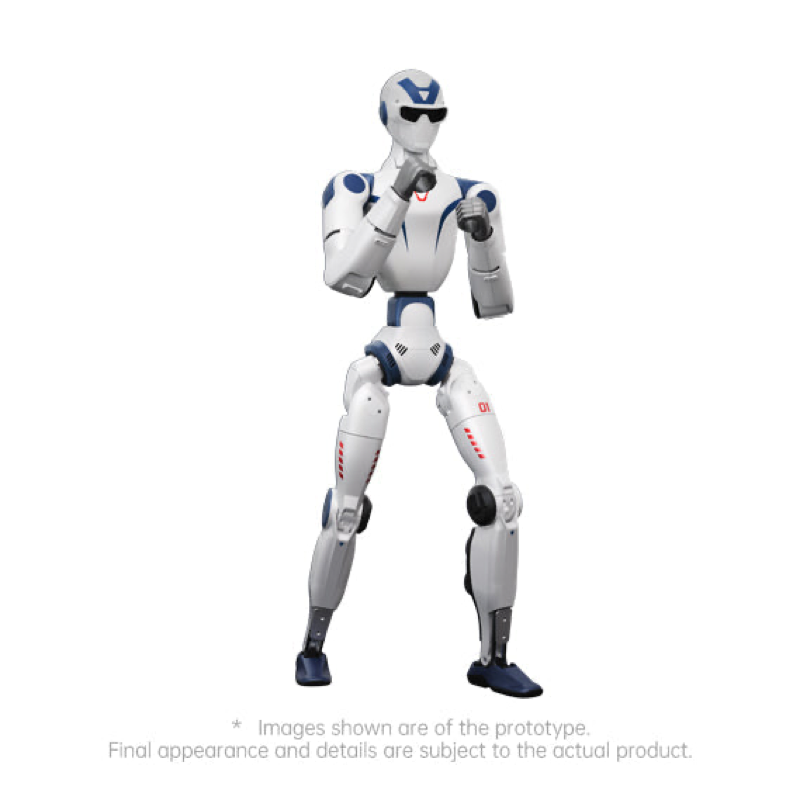
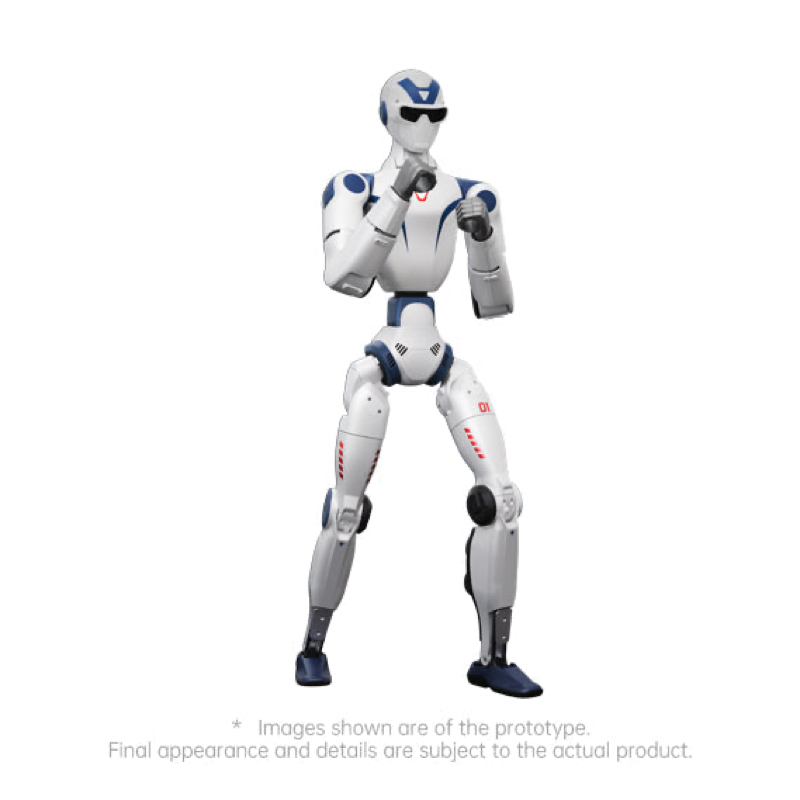
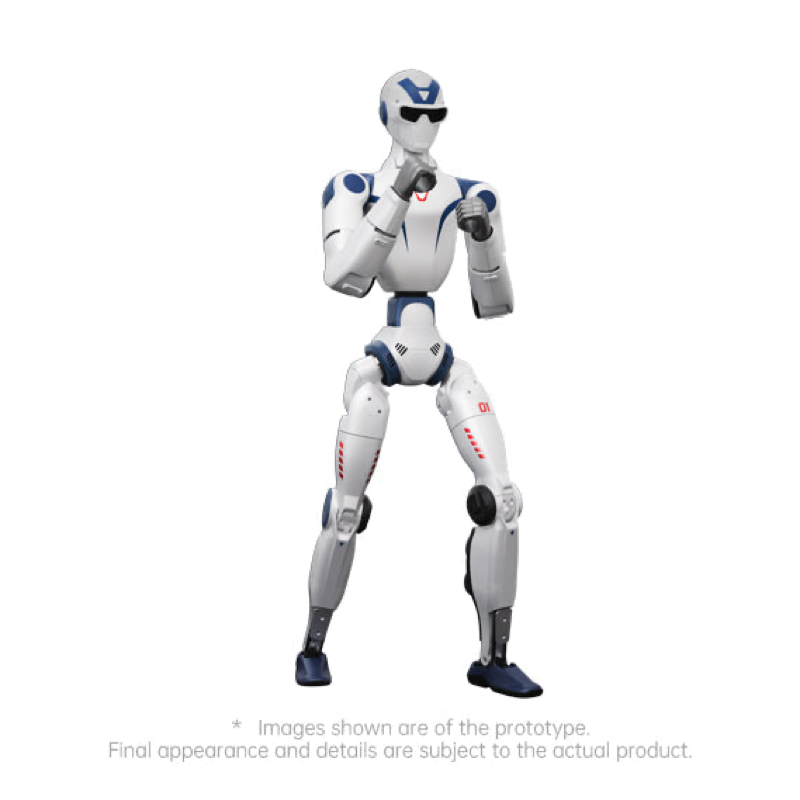
Unitree R1 Edu Standard Humanoid Robot
The Unitree R1 Edu Standard is the entry point into the R1 Edu line, and it is the cheapest way to get a programmable humanoid into a classroom or lab. Where the R1 Air and R1 Basic run Unitree's built-in speech and vision AI with preset motions only, the Edu Standard unlocks the SDK and secondary development, with fully open control interfaces for the joints and sensors and support for mainstream simulation platforms. That difference is the whole point: students can build, deploy, and debug their own programs rather than operating a closed system.
Key Highlights
- Full SDK access and secondary development, the entry point of the R1 Edu line
- Fully open control interfaces for joints and sensors, with mainstream simulation platform support
- 26 degrees of freedom, including a 2-DoF waist and 2-DoF head
- Binocular depth camera for depth and spatial perception
- 4-mic array and speaker for multimodal speech and vision work
- Quick-release smart battery, roughly one hour per charge
- Wi-Fi 6 and Bluetooth 5.2, with OTA updates
Unitree R1 Edu Standard Specs
| Spec | Value |
|---|---|
| Model | R1 Edu Standard (U1) |
| Secondary Development | Yes, full SDK access |
| Compute | 8-core high-performance CPU, with an optional high-power module in the Orin class rated 40 to 100 TOPS |
| Degrees of Freedom | 26 (6 per leg, 5 per arm, 2 waist, 2 head) |
| Dexterous hand | Optional on the Edu tier, not standard on this configuration |
| Camera | Binocular depth camera, horizontal FOV to 146 degrees, vertical to 124 degrees |
| Audio | 4-mic array and speaker |
| Dimensions (standing) | 1230 x 357 x 190 mm (48.4 x 14.1 x 7.5 in) |
| Weight | Approx. 29 kg (64 lb) with battery |
| Arm joint torque | About 2 kg (4.4 lb) maximum, varies with arm extension |
| Battery | Quick-release smart battery, approx. 1 h runtime |
| Connectivity | Wi-Fi 6, Bluetooth 5.2, OTA updates |
| Sensors | Dual and single joint encoders, binocular vision, 4-mic array |
| Cooling | Local air cooling |
| Operating Temperature | 0°C to 40°C (32°F to 104°F), not waterproof or dustproof |
| Warranty period | 12 months |
Specifications per Unitree R1 User Manual V1.3 and unitree.com. Dexterous hands, LiDAR, and higher-tier compute are available on other R1 Edu configurations.
Built For
- High school engineering, CTE, and robotics classrooms
- University teaching labs and undergraduate research
- Developers who need SDK access without a research-tier budget
- STEM programs moving from quadrupeds to humanoids
Good to Know
For operators 18 and up, with student use supervised by an instructor. The R1 is not waterproof or dustproof and is rated for indoor operation from 0°C to 40°C (32°F to 104°F). Unitree recommends using the support-stand kit during startup and extended standing while operators build experience. Spare batteries are worth adding for classroom use, since a single pack runs about an hour.
Warranty & U.S. Support
Sourced through Unitree's authorized U.S. distribution and backed by U.S.-based authorized warranty and repair service, with pre- and post-sale support from Global Drone HQ. Purchase orders and tax-exempt purchasing are welcome for schools, districts, and universities.
Explore the Unitree Lineup
See the full Unitree collection for every humanoid configuration we carry. The R1 Basic costs less but has no SDK, the R1 Edu Smart steps up the onboard compute, and the R1 Edu Pro adds dexterous hands and research-grade options.
Verified US equipment authorization, FCC ID 2A5PE-YUSHU010
Sourced through an authorized US distributor with US-based warranty
Freight quoted to your destination
Purchase orders and tax-exempt purchasing welcome
Pairs well with
Questions about configuration, lead time or deployment? We reply within one business day.
-
Shipping and Delivery
Robots ship freight and insured to your dock or venue. Freight is quoted to your destination address and appears as a line item on your written quote. Lead time is confirmed in writing before you commit to a delivery date.
-
Support
You deal with Global Drone HQ directly, before and after the sale. We help you pick the right configuration, handle delivery and coordinate anything that needs the service center rather than handing you an address overseas.
-
Warranty and Service
Every unit is sourced through an authorized US distributor and backed by US-based warranty service, including complete-machine warranty repair, replacement of core components and factory-level diagnostics.
-
Contact Us
Email daniel@globaldronehq.com or call (855) 906-5185. Purchase orders and tax-exempt purchasing are welcome for schools, universities and public agencies.

The cheapest R1 you are allowed to program.
Secondary development is the whole reason the Edu tier exists. The R1 Air and R1 Basic run Unitree's built-in behaviours and nothing else. The Edu Standard opens the joint and sensor interfaces, supports the mainstream simulation platforms, and lets a class write, deploy and debug its own code on the robot in front of them.
Full SDK Access • 26 Degrees of Freedom • About 29 kg (64 lb) • FCC ID 2A5PE-YUSHU010 • Quotes & POs Welcome
Dig Deeper
Development and Sensing
- Binocular depth camera in the head, horizontal field of view up to 146°, vertical up to 124°.
- RGB 1270 x 720 at 30 Hz, depth 544 x 448 at 10 Hz.
- 8-core high-performance CPU as the base computing platform.
- 4-microphone array and speaker for voice interaction.
- Multimodal large model onboard for speech and images.
- Fully open control interfaces for joints and sensors, with support for mainstream simulation platforms.
Body and Motion
- 26 degrees of freedom: 6 in each leg, 5 in each arm, 2 in the waist and 2 in the head.
- About 29 kg (64 lb) with the battery fitted.
- 1230 x 357 x 190 mm (48.4 x 14.1 x 7.5 in) standing.
- Low-inertia high-speed internal rotor PMSM joint motors on crossed roller and double hook ball bearings.
- Calf plus thigh 600 mm (23.6 in), forearm plus upper arm 420 mm (16.5 in).
- About 2 kg (4.4 lb) maximum torque per arm joint, which varies with arm extension.
Power, Connectivity and Honest Limits
- Quick-release smart battery, about 1 hour per charge. Classrooms should budget for spare packs.
- Wi-Fi 6 and Bluetooth 5.2, with intelligent OTA updates.
- Rated 0°C to 40°C (32°F to 104°F). Not waterproof and not dustproof, so this is an indoor, dry-conditions machine.
- Dexterous hands and a high-power computing module are options on the Edu tier, not standard on this configuration. Ask before you assume they are included.
- Unitree recommends the support stand during startup and extended standing while operators build experience.
- 12-month Unitree warranty period on the R1 Edu tier, serviced in the US through an authorized distributor.
Compare the R1 Edu Tier
The Edu tier shares the 26-joint R1 body. What you are paying for as you move up is onboard compute, expansion options and hands.
Weight
About 29 kg (64 lb)
Weight
About 29 kg (64 lb)
Weight
About 29 kg (64 lb)
Top Speed
Not published by Unitree
Top Speed
Not published by Unitree
Top Speed
Not published by Unitree
Rated Payload
About 2 kg (4.4 lb) per arm joint, varies with arm extension
Rated Payload
About 2 kg (4.4 lb) per arm joint, varies with arm extension
Rated Payload
About 2 kg (4.4 lb) per arm joint, varies with arm extension
Protection
Not rated, not waterproof or dustproof
Protection
Not rated, not waterproof or dustproof
Protection
Not rated, not waterproof or dustproof
Endurance
About 1 h, quick-release smart battery
Endurance
About 1 h, quick-release smart battery
Endurance
About 1 h, quick-release smart battery
Locomotion
Bipedal, 26 degrees of freedom
Locomotion
Bipedal, 26 degrees of freedom
Locomotion
Bipedal, 26 to 40 degrees of freedom
Operating Temp
0°C to 40°C (32°F to 104°F)
Operating Temp
0°C to 40°C (32°F to 104°F)
Operating Temp
0°C to 40°C (32°F to 104°F)
Best For
Demonstrations and teaching that need a waist, a head and depth vision
Best For
The cheapest R1 you are allowed to write code on
Best For
Lab work that needs more onboard compute than the Edu Standard
Price
$8,990
Price
$15,950
Price
$18,900
FAQs
Is the R1 Edu Standard authorized for use in the US?
Yes. The R1 family is covered by Unitree's US equipment authorization under grantee YuShu Technology Co., Ltd., FCC ID 2A5PE-YUSHU010, verifiable at apps.fcc.gov/oetcf/eas. FCC equipment authorization is separate from NDAA procurement eligibility, so if you are buying under a federal procurement rule, check that with us first.
How long does it run on a charge?
About one hour on the quick-release smart battery. For a teaching lab running back-to-back sessions, plan on at least one spare pack per robot.
How is the Edu Standard different from the R1 Basic and the Edu Smart?
The Basic costs less and has the same 26 joints, but it does not support secondary development at all. The Edu Standard opens the SDK. The Edu Smart is the same platform with more onboard compute for heavier perception and learning work.
What can I add to it later?
The Edu tier supports a high-power computing module in the Orin class, rated by Unitree between 40 and 100 TOPS, an optional dexterous hand, and LiDAR and backpack expansion. Tell us your research plan and we will quote the configuration rather than guess.
How much can the arms carry?
Unitree rates the arm joints at about 2 kg (4.4 lb) of maximum torque, and the usable arm load varies considerably with how far the arm is extended. Treat the R1 as a manipulation research platform, not a load carrier.
Do you accept purchase orders?
Yes. We work with school districts, universities and public agencies regularly and accept purchase orders and tax-exempt purchasing. Tell us what your procurement office needs and we will format the quote to match.