


DJI Enterprise
DJI Dock 3
Enterprise pricing, payment terms and bulk orders. Talk to a drone specialist.
Quick answer: The DJI Dock 3 is a sealed, self-charging drone-in-a-box station that launches a Matrice 4D or Matrice 4TD on a schedule or on an alert, with no pilot at the site. The dock alone is $15,890. With the Matrice 4D it is $24,272, and with the thermal Matrice 4TD it is $26,412. Rated IP56, runs from -30°C to 50°C, and recharges the aircraft in about 27 minutes. Prices last verified September 2026.
Persistent aerial coverage without a pilot on site
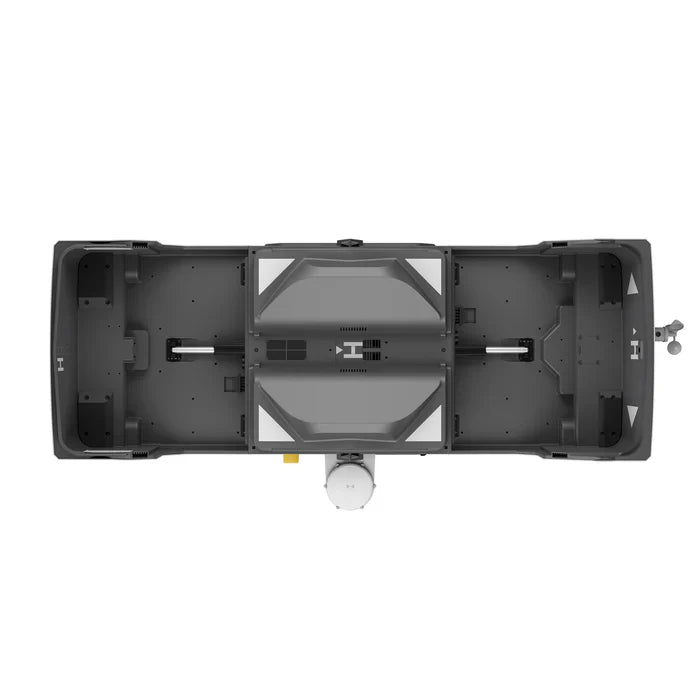
The Dock 3 turns a drone from something a person carries to a scene into something that lives at the site. The station stores the aircraft, keeps it charged, opens on command, launches it, flies the programmed route, recovers it, and closes again. Every part of that cycle is managed remotely through DJI FlightHub 2, so the operator can be in a dispatch center, an office, or a truck two states away.
That changes what a drone program is. A handheld Matrice 4T needs a trained pilot to drive out and deploy it. A docked Matrice 4TD is already overhead while the first unit is still en route, and it flies the same perimeter patrol at 2 a.m. on a Sunday that it flew on Monday afternoon, without anyone remembering to do it.


DJI Dock 3 specs, verified against DJI
| Specification | DJI Dock 3 |
|---|---|
| Compatible aircraft | DJI Matrice 4D, DJI Matrice 4TD |
| Ingress protection | IP56 |
| Operating temperature | -30°C to 50°C (-22°F to 122°F) |
| Max wind for takeoff and landing | 12 m/s |
| Max operating altitude | 4,500 m |
| Aircraft charging time | About 27 minutes, 15% to 95% at 25°C |
| Power input | 100 to 240 V AC, 50/60 Hz, max 800 W |
| Network | 10/100/1000 Mbps Ethernet port, plus 4G via the DJI Cellular Dongle 2 (sold separately) |
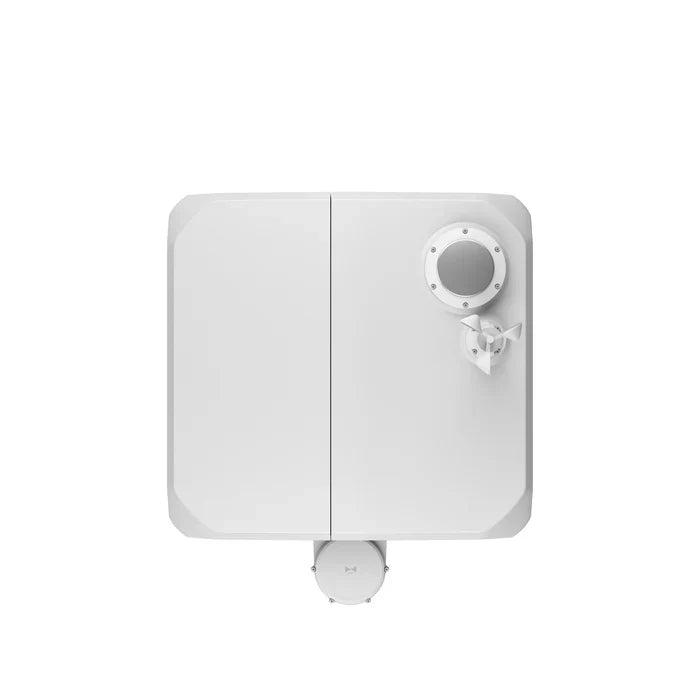
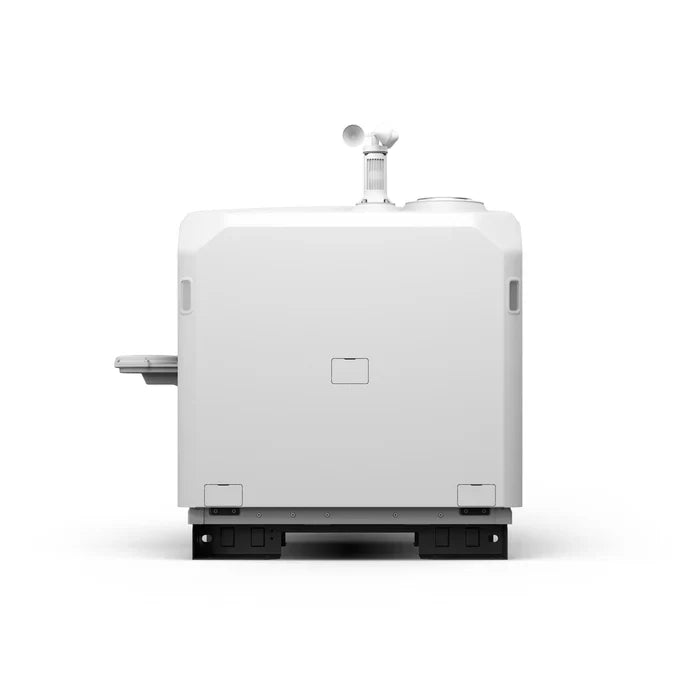
| Dimensions, closed | 640 × 745 × 770 mm |
| Dimensions, open | 1,760 × 745 × 485 mm |
| Weight | 55 kg without aircraft |
| Remote management | DJI FlightHub 2, multiple docks on one dashboard |
Figures from DJI's published Dock 3 specifications. The aircraft's own flight time, camera, and transmission specs depend on which Matrice 4D series aircraft you pair it with.
ConfigurationsThree ways to buy it
Just the Dock
$15,890The station only. For agencies that already own a Matrice 4D or 4TD, or want to add a second dock to an existing program.
Dock 3 + Matrice 4D
$24,272The mapping and inspection configuration. The Matrice 4D carries a 4/3 CMOS wide camera with mechanical shutter, a telephoto camera, and a laser rangefinder. Built for scheduled progress documentation, corridor inspection, and photogrammetry.
Dock 3 + Matrice 4TD
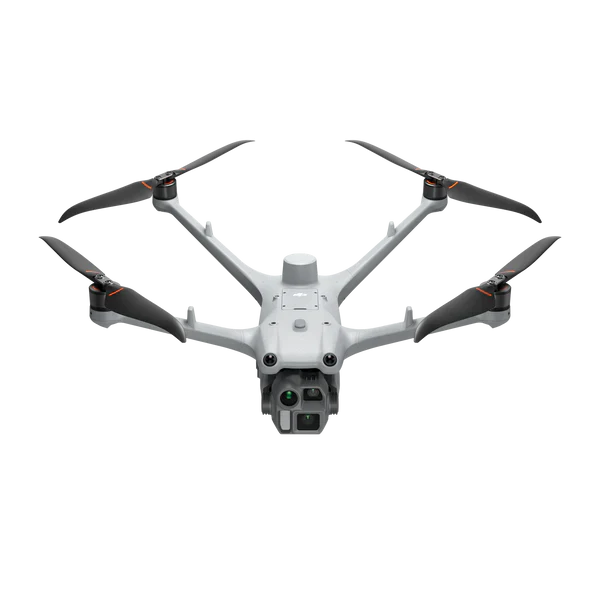
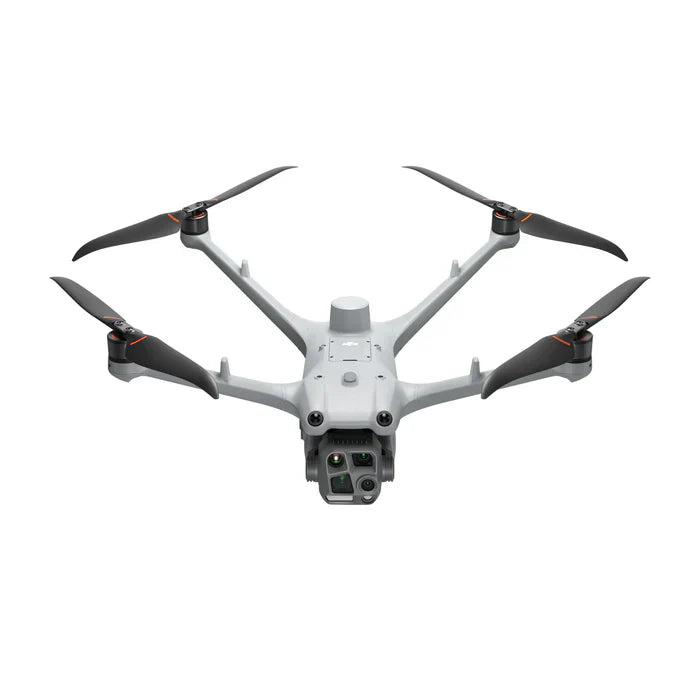
$26,412The public safety and security configuration. The Matrice 4TD adds a 640×512 radiometric thermal camera, which is what finds a person in the dark or a hotspot on a roof. This is the aircraft behind most drone as first responder programs.
Select the configuration above the Add to Cart button. Prices last verified September 2026.
Budget honestlyWhat the dock price does not include
The hardware is the easy part of a dock program. Before you write the spec, plan for these:
Connectivity
The dock has a gigabit Ethernet port. If the site has no wired network, 4G requires the DJI Cellular Dongle 2, which is sold separately, plus a data plan. Reliable connectivity is the single most common thing that delays a go-live.
FlightHub 2 licensing
Dock operations run through DJI FlightHub 2, which is licensed software. Ask us for current licensing options when you request a quote so the software line is on the same page as the hardware.
Power at the site
100 to 240 V AC with up to 800 W draw. A rooftop or fence-line install usually means running a dedicated circuit, and that is an electrician, not a drone dealer.
Regulatory authorization
Flying with a pilot maintaining line of sight falls under standard Part 107. Flying beyond visual line of sight, which is the whole point of a dock, requires FAA authorization. Most programs start with a visual observer and expand from there.
What operators are actually doing with it
DJI has published detailed case studies on Dock 3 deployments, and we have written up two of them with the operational specifics that matter when you are sizing a program of your own.
Drone as first responder
The dispatch workflow is the reason police and fire agencies buy this system. A 911 call or a sensor alert triggers the nearest dock through FlightHub 2, and the aircraft is streaming thermal and visual video to the responding units and the command post before the first vehicle arrives. There are specific configuration details that make or break the auto-dispatch, including an alert parameter that silently fails if set wrong, and we cover them step by step in our Dock 3 DFR setup guide.
Construction site monitoring
On South Korea's largest semiconductor construction site, a Dock 3 replaced manual walking and driving inspections with scheduled autonomous patrols that ran through winter at -20°C. The operator reported surveying time cut by more than 80 percent, from several days to a few hours, and zero inspection-related accidents since switching. The full breakdown, including the FlightHub 2 scaling issue they hit on a site that large, is in our Dock 3 construction monitoring guide.
Perimeter security
Critical infrastructure sites run the dock on a patrol schedule and tie it to the intrusion detection system, so a fence-line sensor trip launches the aircraft to the alarm coordinates and streams video to the security operations center. A false alarm gets cleared without sending a guard on foot.

It does not have to stay on a roof
DJI makes a vehicle-mounted gimbal mount for the Dock 3 ($473) that lets the station ride in a truck bed or on a trailer. Roving inspection programs and emergency response agencies use it to bring an autonomous launch point to wherever the work is that week, then take it home. The dock and the aircraft are the same; only the mounting changes.
GenerationsDJI Dock 3 vs Dock 2
| Feature | Dock 3 | Dock 2 |
|---|---|---|
| Compatible aircraft | Matrice 4D, Matrice 4TD | Matrice 3D, Matrice 3TD |
| Ingress protection | IP56 | IP55 |
| Operating temperature | -30°C to 50°C | -25°C to 45°C |
| Starting price | $15,890 | $8,400 |
| Best for | New programs on the Matrice 4 series | Extending an existing Matrice 3D fleet |
If you are starting a program in 2026, buy the Dock 3. The Matrice 4D series is a generation ahead of the 3D series in sensing and obstacle avoidance, and the Dock 3 adds a wider operating temperature range and the IP56 seal. The Dock 2 only makes sense if you already own Matrice 3D or 3TD aircraft and want to add stations without replacing them.
Frequently asked questions
How much does the DJI Dock 3 cost?
The dock alone is $15,890 at Global Drone HQ. Bundled with the Matrice 4D it is $24,272, and with the thermal Matrice 4TD it is $26,412. Prices last verified September 2026. Purchase orders and agency pricing are supported, and we quote the FlightHub 2 licensing alongside the hardware so there are no surprises.
Which drones work with the Dock 3?
The DJI Matrice 4D and Matrice 4TD. These are dock-specific versions of the Matrice 4 series with fixed arms and an IP55 rating, built to live outdoors in the station. The handheld Matrice 4E and 4T do not dock, and the Dock 2 aircraft (Matrice 3D and 3TD) are not compatible with the Dock 3.
Does the Dock 3 work with the Matrice 400?
No. The Matrice 400 is a manually piloted aircraft with a much larger payload ecosystem. The Dock 3 is designed around the Matrice 4D series only.
Do I need a pilot for a dock program?
Yes. Autonomous does not mean unlicensed. A Part 107 certificated remote pilot is responsible for the operation. Flying beyond visual line of sight with no observer requires FAA authorization on top of that. Most agencies begin with a visual observer program and pursue BVLOS authorization once they have operational history.
What does the dock need at the install site?
AC power (100 to 240 V, up to 800 W), a network connection (gigabit Ethernet, or 4G through the separately sold DJI Cellular Dongle 2), a level mounting surface, and clear airspace above it. Physical installation and initial FlightHub 2 configuration typically takes a trained technician a working day.
How long does the aircraft take to recharge in the dock?
About 27 minutes from 15 percent to 95 percent at 25°C, per DJI. In practice that supports near-continuous patrol coverage with a single aircraft, since a mission rarely drains the battery fully.
Is the DJI Dock 3 NDAA compliant?
No. DJI is not NDAA compliant and is not on the Blue UAS list, and the Dock 3 and its aircraft are not approved for federal procurement. If your funding requires a compliant platform, see our NDAA compliant drones guide, which covers Skydio, Parrot, Freefly, Inspired Flight, and Teal.
What happens if the cellular connection drops mid-mission?
The aircraft keeps executing its programmed mission on its onboard flight controller. If the link is not restored within the configured timeout, it follows its lost-link behavior, which is normally a return to the dock. Sites where the mission is safety-critical should plan a wired Ethernet connection or redundant cellular coverage.
Spec a Dock 3 program for your site
Tell us the site, the mission, and whether you need thermal, and we will spec the dock, aircraft, connectivity, and FlightHub 2 licensing together, then send a formal quote. Purchase orders and agency pricing supported.
Or call +1 (855) 906-5185
Related reading
- DJI Dock 3 review: is drone-in-a-box worth it for your site?
- Dock as first responder: the complete Dock 3 setup workflow
- Dock 3 construction site monitoring case study
- Matrice 4T vs 4TD: handheld or docked?
- DJI Dock 3 vs Autel EVO Nest
- Drones and robots for public safety
Global Drone HQ is an authorized DJI enterprise dealer shipping from the United States.
Ships from the USA
Pairs well with
Ships from the United States. Contact us for current lead time.
Covered by DJI's manufacturer warranty. View warranty details

Compatible aircraft

Dust and water rating

Operating temperature range

Drone charge time

Wind resistance
If you have any questions, you are always welcome to contact us. We'll get back to you as soon as possible, within 24 hours on weekdays.
-
Shipping Information
We ship from the United States. Many enterprise items are drop-shipped from the manufacturer or distributor, so contact us for the current lead time on your configuration before you order.
-
Customer Support
You deal directly with Global Drone HQ, not a call center queue. Send over your configuration, compliance, or integration questions and you will get a straight answer.
-
FAQ’s
Have a question this page does not cover? Ask us. That includes anything you need for a purchase order, bid package, or internal approval.
-
Contact Us
Email daniel@globaldronehq.com for quotes and product questions. We accept purchase orders, ACH, and wire transfer for agencies and businesses. Payment is required up front.

The Age of Intelligent Flight
Flagship Intelligent Multi-Sensor Compact Drone
Intelligent Operations
Capture Every Detail at A Distance
Autonomous Drone Operations, Deployed.
The DJI Dock 3 is a fully automated drone-in-a-box solution designed for remote, continuous operations. Deploy, charge, and execute missions without being on-site.


Fully Autonomous from Takeoff to Landing
The Dock 3 automates the entire drone workflow - from deployment and flight execution to landing and recharging. Schedule missions, monitor remotely, and maintain persistent aerial coverage without manual intervention.

Built for Real-World Environments
Engineered for outdoor deployment, the Dock 3 is weather-resistant and designed to operate in demanding environments. Maintain reliable performance across varying conditions without constant supervision.

Designed for Continuous Monitoring
Deploy Dock 3 across public safety, security, utilities, and infrastructure operations. From perimeter monitoring to emergency response, it provides persistent aerial intelligence when and where you need it.
Everything You Need to Know About DJI Dock 3
Explore how DJI Dock 3 transforms drone operations with fully automated deployment, remote access, and reliable mission execution. Learn how organizations are using Dock-based systems to reduce manual labor, increase coverage, and operate drones 24/7 with confidence.
Tech Specs
Key Specifications
- System Type: Fully Autonomous Drone-in-a-Box Solution
- Included Aircraft: DJI Matrice 3TD (Thermal + Zoom + Wide)
- Operational Mode: Remote & Automated Missions
- Deployment: Fixed Installation (Permanent Site-Based Operation)
- Dock Protection Rating: IP55 (weather-resistant enclosure)
- Operating Temperature: Approx. -20°C to 50°C
- Charging: Automated Battery Charging via Dock
- Launch Time: Rapid Automated Deployment (seconds)
Imaging & Payload Capabilities
- Thermal Camera: Radiometric thermal imaging for detection and analysis
- Zoom Camera: High-resolution zoom for detailed inspections at distance
- Wide Camera: Situational awareness and mapping overview
- Night Operations: Full low-light + thermal capability
- Multi-Sensor Fusion: Simultaneous visual + thermal data capture
- Use-Ready Payload: No setup required, integrated out of the box
Performance & Flight Intelligence
- Max Flight Time: ~40–45 minutes (Matrice 3TD)
- Max Transmission Range: Up to 15 km (OcuSync Enterprise)
- Autonomous Missions: Waypoints, scheduled flights, repeatable routes
- Obstacle Avoidance: Multi-directional sensing system
- Precision Positioning: RTK-supported for accurate repeat missions
- AI Capabilities: Smart detection (people, vehicles, vessels)
Use Cases & Applications
- Public Safety: Search & rescue, incident response, overwatch
- Security: Perimeter monitoring, critical infrastructure protection
- Utilities & Energy: Remote inspection of assets and sites
- Construction: Progress tracking and site monitoring
- Industrial Operations: Automated site awareness and reporting
- Smart Cities: Persistent aerial monitoring and response
Included in the Box
(1) DJI Dock 3 Body
(1) Wind Speed Gauge Module
(4) Expansion Bolt
(1) Ethernet Cable Connector
(1) Power Cable Connector
(6) Wire Ferrule
(1) Screws and Tools
(1) Matrice 4TD Aircraft
(1) CW Low-Noise Anti-Ice Propellers (Pair)
(1) CCW Low-Noise Anti-Ice Propellers (Pair)
(1) Screws and Washers
(1) DJI Matrice 4D Battery
(1) DJI RC Plus 2 Controller
(1) DJI 240W Power Adapter

DJI Dock 3 First Use
Learn how to deploy and configure the DJI Dock 3 for real-world operations. This walkthrough covers initial setup, system integration, and first mission execution - so your team can quickly launch automated drone operations with confidence.
FAQs
What is the DJI Dock 3 and who is it for?
The DJI Dock 3 is an automated drone-in-a-box solution designed for remote and continuous operations. It enables fully autonomous drone deployment, charging, and mission execution, making it ideal for public safety, security, infrastructure inspection, energy, and enterprise monitoring applications.
What drones are compatible with the DJI Dock 3?
The DJI Dock 3 is designed to operate with two dedicated aircraft:
- DJI Matrice 4TD
- DJI Matrice 4T
Both are purpose-built for dock-based, fully automated operations.
What is the difference between the Matrice 4TD and Matrice 4T?
Matrice 4T (Thermal + Multi-Sensor)
- Thermal imaging camera for heat detection
- Zoom + wide-angle cameras
- Laser rangefinder
Ideal for:
- Public safety (SAR, firefighting, law enforcement)
- Security and surveillance
- Inspection with thermal analysis
Matrice 4TD (Mapping & Day Operations)
- High-resolution mapping camera
- Optimized for photogrammetry and surveying
- No thermal sensor
Ideal for:
- Mapping and surveying
- Construction site monitoring
- Infrastructure and asset documentation
What is the flight time of the Dock 3 drones?
Both the Matrice 4T and 4TD offer up to 45 minutes of flight time, depending on mission profile, weather conditions, and payload usage.
This extended flight time allows for:
- Larger area coverage
- Fewer mission interruptions
- Increased operational efficiency
Is the DJI Dock 3 fully autonomous?
Yes. The Dock 3 system supports fully automated workflows including:
- Scheduled and remote flight missions
- Automatic takeoff and landing
- Battery charging inside the dock
- Remote monitoring and control
Operators can manage missions without being physically on-site.
Can the DJI Dock 3 operate in harsh weather conditions?
Yes. The Dock 3 is built for real-world deployment and is designed to operate in a wide range of environmental conditions, including rain, dust, and extreme temperatures (within DJI’s specified limits).
What industries use the DJI Dock 3?
The Dock 3 is commonly used across:
- Public Safety – emergency response, perimeter monitoring
- Energy & Utilities – power line and substation inspection
- Construction – site monitoring and progress tracking
- Security – autonomous surveillance and patrol
- Infrastructure – bridges, roads, and asset inspections
Does the Dock 3 require on-site personnel?
No. One of the main advantages of the Dock 3 is remote operation. Once installed, missions can be planned and executed remotely, significantly reducing the need for on-site pilots.
How does the Dock 3 improve operational efficiency?
The Dock 3 reduces manual effort by automating:
- Drone deployment
- Battery management
- Flight execution
This allows teams to:
- Respond faster
- Monitor sites continuously
- Scale operations without increasing manpower
Can Global Drone HQ help with setup and deployment?
Yes. We provide guidance on system selection, deployment strategy, and operational setup to ensure your Dock 3 solution is configured for your specific use case.