


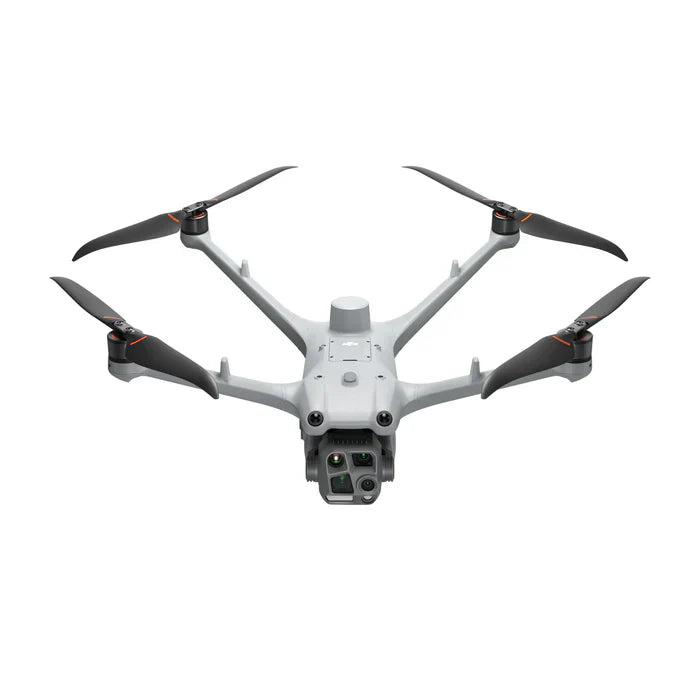
DJI Enterprise
DJI Dock 3
DJI Dock 3 — Fully Autonomous BVLOS Drone Deployment
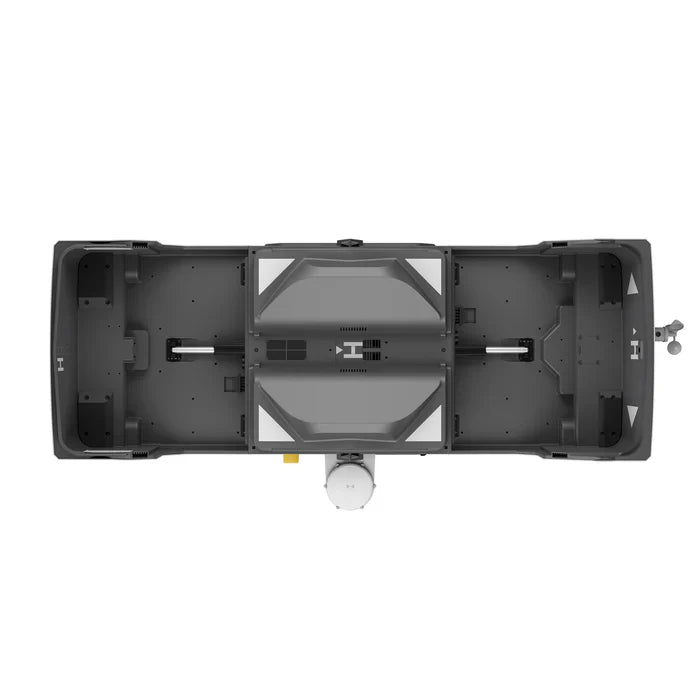
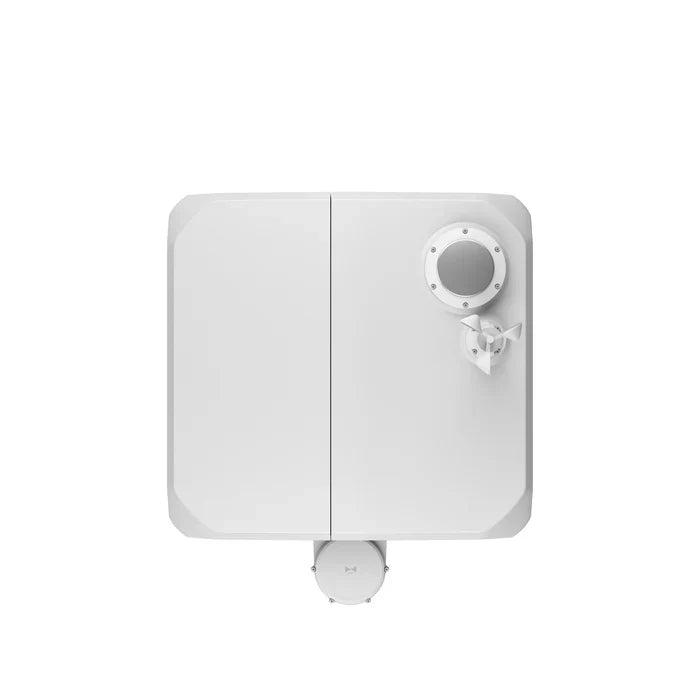
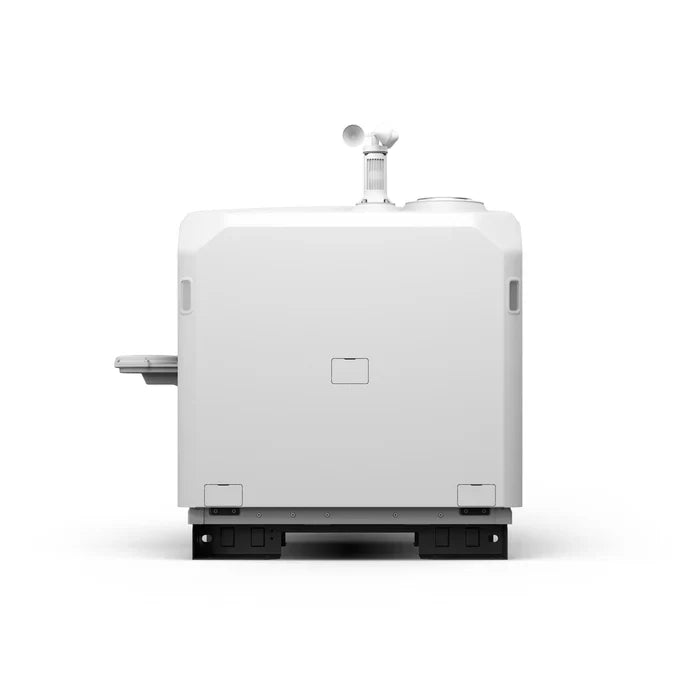
The DJI Dock 3 is DJI's most advanced autonomous drone deployment station, engineered for organizations that need persistent aerial coverage without a pilot on-site. The system docks, charges, stores, and automatically launches compatible DJI enterprise drones on demand — all controlled remotely through DJI FlightHub 2 over 4G/5G.
From power line inspection to perimeter security and emergency response, the Dock 3 enables continuous, scalable drone operations at a fraction of the cost of traditional staffed patrol programs. It is rated IP55 for dust and water resistance and operates across a temperature range of -30°C to 50°C, making it viable year-round in demanding environments.
DJI Dock 3 Specifications
| Spec | DJI Dock 3 |
|---|---|
| Compatible Aircraft | DJI Matrice 3TD, Matrice 4D, Matrice 4TD |
| Starting Price | $15,890 (dock only) |
| IP Rating | IP55 (dust & water resistant) |
| Wind Resistance | Up to 15 m/s (33.6 mph) |
| Operating Temperature | -30°C to 50°C (-22°F to 122°F) |
| Charging Method | Automated onboard charging |
| Connectivity | 4G / 5G cellular, optional Wi-Fi |
| Remote Management | DJI FlightHub 2 |
| Power Input | AC 100–240V, 50/60Hz |
| Dimensions (Closed) | 1042 × 808 × 600 mm |
| Weight | Approx. 87 kg |
| NDAA Compliance | Compatible with NDAA-compliant aircraft |
Bundle Options — Choose Your Configuration
The DJI Dock 3 is available as a standalone station or bundled with a compatible enterprise drone. All bundles are ready to deploy out of the box.
Just the Dock — $15,890
The Dock 3 station only. Ideal if you already own a compatible DJI enterprise drone (Matrice 3TD, Matrice 4D, or Matrice 4TD) or want to pair the dock with a separately purchased aircraft.
Dock 3 + Matrice 4D — $24,272
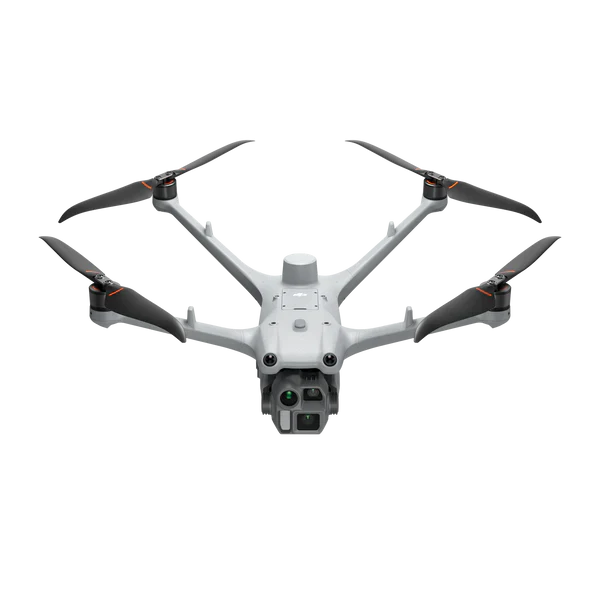
Pairs the Dock 3 with the DJI Matrice 4D, DJI's latest high-performance mapping and inspection drone. The M4D delivers a 4/3 CMOS wide camera, 70mm tele camera, and mechanical shutter — purpose-built for photogrammetry, infrastructure inspection, and precision mapping missions.
Dock 3 + Matrice 4TD — $26,412
The top-tier bundle: Dock 3 paired with the DJI Matrice 4TD, which adds a radiometric thermal camera alongside the wide and tele visible sensors. The M4TD is the preferred choice for public safety, fire detection, search and rescue, and any mission requiring thermal situational awareness around the clock.
How the DJI Dock 3 Works
1. Deploy and Connect
Install the Dock 3 at your site, connect to AC power, and configure the 4G/5G cellular link. The dock auto-calibrates its landing pad alignment and climate systems on first boot. Setup typically takes under 2 hours for a trained technician.
2. Plan Missions in FlightHub 2
Use DJI FlightHub 2 — DJI's enterprise cloud management platform — to build automated flight routes, set recurring schedules, define geofences, and establish return-to-dock triggers. Multiple docks across multiple sites can be managed from a single FlightHub 2 dashboard.
3. Automated Launch and Recovery
The dock opens, the drone spins up and departs autonomously. On mission completion (or battery threshold), the drone returns and lands precisely on the charging pad. The dock closes and recharging begins automatically — no pilot intervention required at any stage.
4. Live Feed and Data Sync
Live video streams and mission data sync in real time to FlightHub 2 over the cellular link. Operators monitor from any location, review footage, and trigger emergency returns from a browser or mobile device.
Top Use Cases
Infrastructure and Utility Inspection
Energy companies, utilities, and pipeline operators use the Dock 3 to run scheduled inspection loops along transmission lines, solar farms, and pipeline corridors — automatically flagging anomalies with thermal and visual imagery without dispatching field crews for routine checks.
Perimeter Security and Surveillance
Critical infrastructure sites, logistics facilities, and government campuses deploy Dock 3 stations to run automated perimeter patrols on defined schedules or alarm-triggered responses. The system provides rapid aerial response without the latency of dispatching a human pilot and drone.
Emergency Response and Public Safety
Fire departments, law enforcement, and emergency management agencies use Dock 3 systems to provide instant aerial awareness during active incidents. A dispatcher can launch the drone and stream live thermal and visible video within seconds of receiving a call — dramatically improving situational awareness before ground units arrive.
Environmental Monitoring
Conservation agencies, mining operations, and environmental compliance teams use the Dock 3 for recurring aerial surveys across large areas — detecting encroachments, erosion, vegetation change, and pollution without weekly site visits.
DJI Dock 3 vs DJI Dock 2 — What Changed
| Feature | Dock 3 | Dock 2 |
|---|---|---|
| Compatible Aircraft | M3TD, M4D, M4TD | M3D, M3TD |
| Operating Temp | -30°C to 50°C | -30°C to 45°C |
| IP Rating | IP55 | IP55 |
| Connectivity | 4G / 5G | 4G |
| Starting Price | $15,890 | $8,400 |
| Aircraft Generation | Matrice 4 series | Matrice 3 series |
Frequently Asked Questions
Does the DJI Dock 3 require a pilot on site?
No. The Dock 3 is a fully autonomous system — missions are planned and launched remotely via DJI FlightHub 2 over a 4G/5G connection. A Remote Pilot in Command (RPIC) must still authorize flights and maintain situational awareness, but they do not need to be physically present at the dock location.
What drones work with the DJI Dock 3?
The Dock 3 is compatible with the DJI Matrice 3TD, Matrice 4D, and Matrice 4TD. It is not backward compatible with older Matrice platforms like the M30 series or original Matrice 300.
Do I need a Part 107 waiver to operate the Dock 3?
Standard Part 107 operations apply to Dock 3 missions flown within visual line of sight (VLOS). For true BVLOS operations — where no visual observer is present — you will need an FAA BVLOS waiver or operate under an approved BVLOS authorization. Global Drone HQ can connect you with regulatory consultants experienced in Dock-based BVLOS programs.
Can the Dock 3 operate in cold weather?
Yes. The Dock 3 has an integrated climate control system that maintains the internal temperature within operating range, allowing reliable drone deployment down to -30°C (-22°F). The station is also rated IP55 for rain and dust resistance.
What software manages the Dock 3?
The Dock 3 is managed through DJI FlightHub 2, DJI's cloud-based enterprise mission management platform. FlightHub 2 supports route planning, automated schedules, live video streaming, fleet management, and data storage. Enterprise and custom API integrations are also available.
Can I mount the Dock 3 on a vehicle?
Yes. DJI offers the DJI Dock 3 Vehicle-Mounted Gimbal Mount, which enables mobile deployment of the Dock 3 on trucks, trailers, or other vehicles — extending its utility to roving inspection, rapid-deployment emergency response, and mobile command scenarios.
Pairs well with
In stock! Ships within 1-2 business days.
Covered by DJI's manufacturer warranty — [View Warranty Details]
DJI Dock 3
If you have any questions, you are always welcome to contact us. We'll get back to you as soon as possible, within 24 hours on weekdays.
-
Shipping Information
Use this text to answer questions in as much detail as possible for your customers.
-
Customer Support
Use this text to answer questions in as much detail as possible for your customers.
-
FAQ’s
Use this text to answer questions in as much detail as possible for your customers.
-
Contact Us
Use this text to answer questions in as much detail as possible for your customers.

The Age of Intelligent Flight
Flagship Intelligent Multi-Sensor Compact Drone
Intelligent Operations
Capture Every Detail at A Distance
Autonomous Drone Operations, Deployed.
The DJI Dock 3 is a fully automated drone-in-a-box solution designed for remote, continuous operations. Deploy, charge, and execute missions without being on-site.


Fully Autonomous from Takeoff to Landing
The Dock 3 automates the entire drone workflow - from deployment and flight execution to landing and recharging. Schedule missions, monitor remotely, and maintain persistent aerial coverage without manual intervention.

Built for Real-World Environments
Engineered for outdoor deployment, the Dock 3 is weather-resistant and designed to operate in demanding environments. Maintain reliable performance across varying conditions without constant supervision.

Designed for Continuous Monitoring
Deploy Dock 3 across public safety, security, utilities, and infrastructure operations. From perimeter monitoring to emergency response, it provides persistent aerial intelligence when and where you need it.
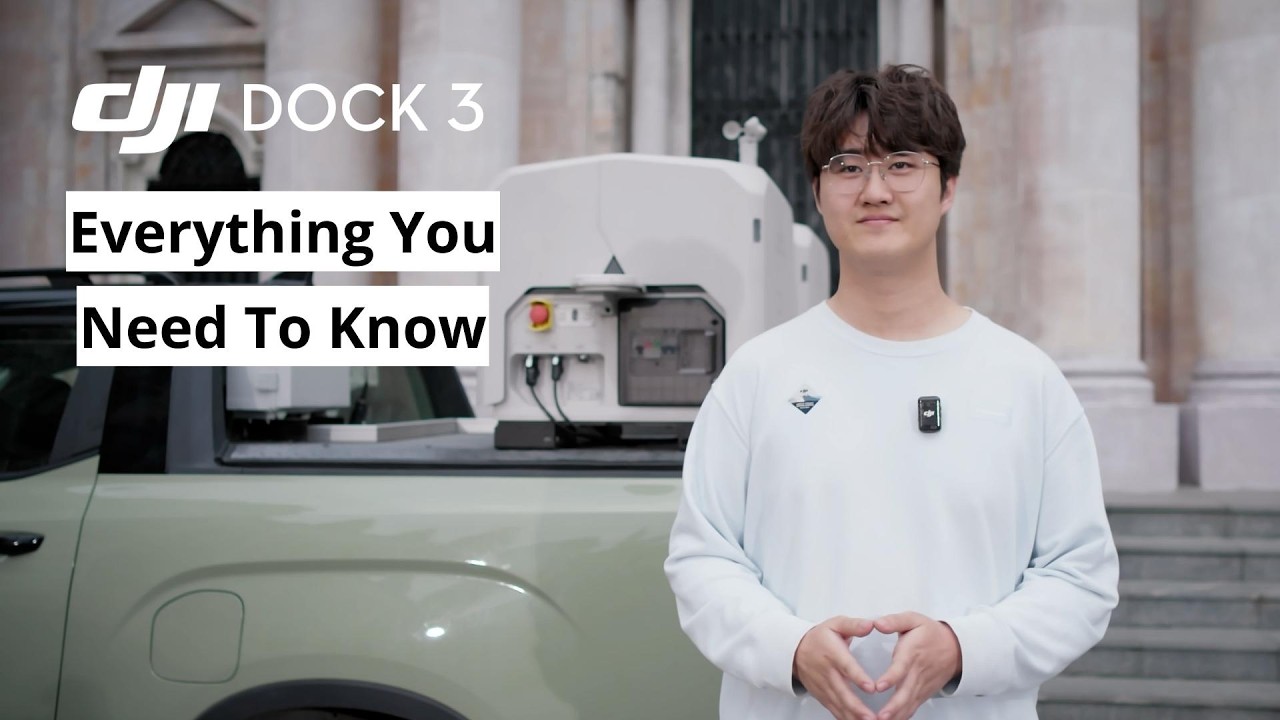
Everything You Need to Know About DJI Dock 3
Explore how DJI Dock 3 transforms drone operations with fully automated deployment, remote access, and reliable mission execution. Learn how organizations are using Dock-based systems to reduce manual labor, increase coverage, and operate drones 24/7 with confidence.
Tech Specs
Key Specifications
- System Type: Fully Autonomous Drone-in-a-Box Solution
- Included Aircraft: DJI Matrice 3TD (Thermal + Zoom + Wide)
- Operational Mode: Remote & Automated Missions
- Deployment: Fixed Installation (Permanent Site-Based Operation)
- Dock Protection Rating: IP55 (weather-resistant enclosure)
- Operating Temperature: Approx. -20°C to 50°C
- Charging: Automated Battery Charging via Dock
- Launch Time: Rapid Automated Deployment (seconds)
Imaging & Payload Capabilities
- Thermal Camera: Radiometric thermal imaging for detection and analysis
- Zoom Camera: High-resolution zoom for detailed inspections at distance
- Wide Camera: Situational awareness and mapping overview
- Night Operations: Full low-light + thermal capability
- Multi-Sensor Fusion: Simultaneous visual + thermal data capture
- Use-Ready Payload: No setup required, integrated out of the box
Performance & Flight Intelligence
- Max Flight Time: ~40–45 minutes (Matrice 3TD)
- Max Transmission Range: Up to 15 km (OcuSync Enterprise)
- Autonomous Missions: Waypoints, scheduled flights, repeatable routes
- Obstacle Avoidance: Multi-directional sensing system
- Precision Positioning: RTK-supported for accurate repeat missions
- AI Capabilities: Smart detection (people, vehicles, vessels)
Use Cases & Applications
- Public Safety: Search & rescue, incident response, overwatch
- Security: Perimeter monitoring, critical infrastructure protection
- Utilities & Energy: Remote inspection of assets and sites
- Construction: Progress tracking and site monitoring
- Industrial Operations: Automated site awareness and reporting
- Smart Cities: Persistent aerial monitoring and response
Included in the Box
(1) DJI Dock 3 Body
(1) Wind Speed Gauge Module
(4) Expansion Bolt
(1) Ethernet Cable Connector
(1) Power Cable Connector
(6) Wire Ferrule
(1) Screws and Tools
(1) Matrice 4TD Aircraft
(1) CW Low-Noise Anti-Ice Propellers (Pair)
(1) CCW Low-Noise Anti-Ice Propellers (Pair)
(1) Screws and Washers
(1) DJI Matrice 4D Battery
(1) DJI RC Plus 2 Controller
(1) DJI 240W Power Adapter

DJI Dock 3 First Use
Learn how to deploy and configure the DJI Dock 3 for real-world operations. This walkthrough covers initial setup, system integration, and first mission execution - so your team can quickly launch automated drone operations with confidence.
FAQs
What is the DJI Dock 3 and who is it for?
The DJI Dock 3 is an automated drone-in-a-box solution designed for remote and continuous operations. It enables fully autonomous drone deployment, charging, and mission execution—making it ideal for public safety, security, infrastructure inspection, energy, and enterprise monitoring applications.
What drones are compatible with the DJI Dock 3?
The DJI Dock 3 is designed to operate with two dedicated aircraft:
- DJI Matrice 4TD
- DJI Matrice 4T
Both are purpose-built for dock-based, fully automated operations.
What is the difference between the Matrice 4TD and Matrice 4T?
Matrice 4T (Thermal + Multi-Sensor)
- Thermal imaging camera for heat detection
- Zoom + wide-angle cameras
- Laser rangefinder
Ideal for:
- Public safety (SAR, firefighting, law enforcement)
- Security and surveillance
- Inspection with thermal analysis
Matrice 4TD (Mapping & Day Operations)
- High-resolution mapping camera
- Optimized for photogrammetry and surveying
- No thermal sensor
Ideal for:
- Mapping and surveying
- Construction site monitoring
- Infrastructure and asset documentation
What is the flight time of the Dock 3 drones?
Both the Matrice 4T and 4TD offer up to 45 minutes of flight time, depending on mission profile, weather conditions, and payload usage.
This extended flight time allows for:
- Larger area coverage
- Fewer mission interruptions
- Increased operational efficiency
Is the DJI Dock 3 fully autonomous?
Yes. The Dock 3 system supports fully automated workflows including:
- Scheduled and remote flight missions
- Automatic takeoff and landing
- Battery charging inside the dock
- Remote monitoring and control
Operators can manage missions without being physically on-site.
Can the DJI Dock 3 operate in harsh weather conditions?
Yes. The Dock 3 is built for real-world deployment and is designed to operate in a wide range of environmental conditions, including rain, dust, and extreme temperatures (within DJI’s specified limits).
What industries use the DJI Dock 3?
The Dock 3 is commonly used across:
- Public Safety – emergency response, perimeter monitoring
- Energy & Utilities – power line and substation inspection
- Construction – site monitoring and progress tracking
- Security – autonomous surveillance and patrol
- Infrastructure – bridges, roads, and asset inspections
Does the Dock 3 require on-site personnel?
No. One of the main advantages of the Dock 3 is remote operation. Once installed, missions can be planned and executed remotely, significantly reducing the need for on-site pilots.
How does the Dock 3 improve operational efficiency?
The Dock 3 reduces manual effort by automating:
- Drone deployment
- Battery management
- Flight execution
This allows teams to:
- Respond faster
- Monitor sites continuously
- Scale operations without increasing manpower
Can Global Drone HQ help with setup and deployment?
Yes. We provide guidance on system selection, deployment strategy, and operational setup to ensure your Dock 3 solution is configured for your specific use case.